Many organizations still depend on legacy file formats that were created using older software applications. These files often contain essential business information, including financial records, engineering designs, project documentation, healthcare data, and historical archives. Although technology continues to evolve, these older formats remain valuable because they support ongoing operations and preserve important information.
Modern workplaces now use a wide range of devices and operating systems, making it difficult to open older Windows-based applications everywhere. Instead of abandoning valuable files, businesses should understand the different ways to access them while maintaining accuracy and security.
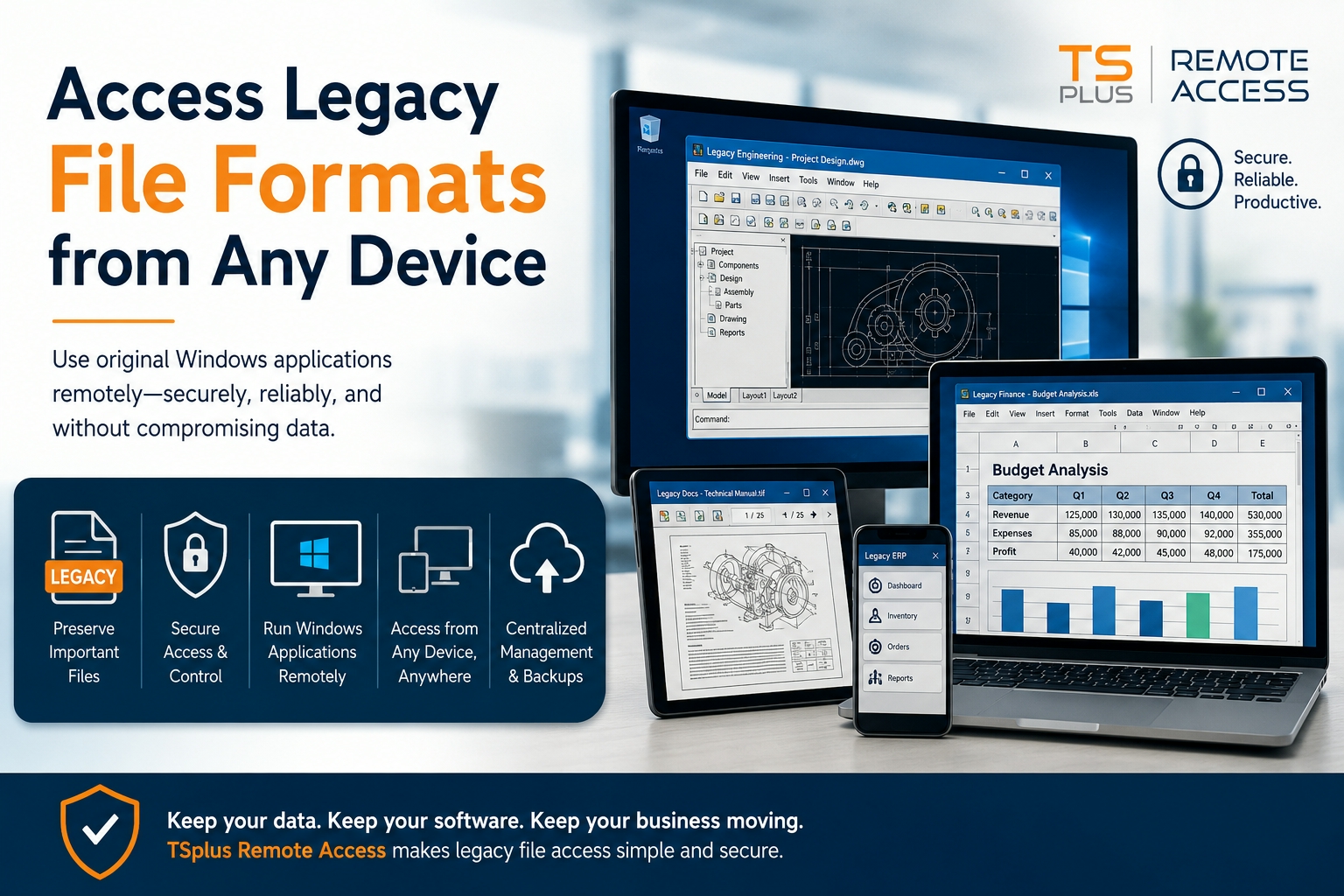
One practical approach is TSplus Remote Access, which enables users to work with Windows applications from almost any device without changing the original software environment.
Why Legacy File Formats Still Matter
Older file formats continue to play an important role in many industries. Manufacturing companies, government agencies, engineering firms, healthcare providers, and financial institutions often rely on specialized software that produces proprietary file types. These applications may still perform their intended tasks efficiently, even if they are no longer widely used.
Replacing these systems can require significant investment, employee training, and data migration. For many organizations, continuing to use trusted software is more practical than rebuilding years of business information from scratch.
Common Challenges When Opening Older Files
Opening legacy files on modern computers is not always straightforward. Many original programs were designed exclusively for Windows and may not function on macOS, Linux, Chromebooks, or mobile devices. Some applications also depend on outdated components that are no longer included in newer operating systems.
Employees working remotely may struggle to install compatible software or obtain the necessary licenses. These challenges can interrupt productivity and delay important business processes.
Converting Files Isn’t Always the Best Option
Converting older files into newer formats may appear to be a simple solution, but it can create unexpected issues. During conversion, important formatting, embedded images, custom fonts, formulas, macros, metadata, and application-specific features may be altered or removed.
Complex documents are especially vulnerable because newer software may not fully understand every element contained in the original file. Even when the document appears correct, hidden data or specialized functions may no longer work properly.
For this reason, businesses should always keep an untouched copy of the original file before making any modifications.
Installing Compatible Software
Another option is to install software that still supports the required file format. This approach can work when compatible versions remain available and are supported by current hardware.
However, maintaining multiple software versions across different computers often increases administrative work. Older programs may also require outdated operating systems or additional components that are difficult to install and maintain securely.
As organizations grow, supporting these applications on every employee device becomes increasingly complicated.
Using Alternative Applications
Some third-party programs can successfully open legacy file formats, allowing users to view or perform limited editing. This solution may be suitable for simple documents that do not contain advanced features.
However, compatibility is rarely perfect. Specialized templates, embedded automation, custom databases, or proprietary tools may not function correctly outside the original software. Careful testing should always be performed before relying on alternative applications for business-critical work.
Browser-Based Remote Access Simplifies Everything
Rather than moving files between different applications or converting them into new formats, many businesses choose to access the original Windows software remotely.
With browser-based remote access, the application continues running on a Windows server while users interact with it through a web browser. Only the display and user inputs are transmitted, allowing the software to operate exactly as intended.
This method enables employees, contractors, and business partners to use familiar Windows applications from Windows computers, Macs, Linux systems, tablets, or smartphones without installing the software locally.
By preserving the original application environment, organizations reduce compatibility issues while ensuring users have access to all available features.
Security and Access Control
Security should always be a priority when providing remote access to business applications. Organizations should carefully define user permissions so employees only access the files and programs required for their responsibilities.
Encrypted connections, strong authentication methods, activity monitoring, and regular software updates help protect sensitive information. Since files remain on central servers rather than individual devices, businesses can better control data security, backups, and regulatory compliance.
Licensing and Performance Considerations
Before implementing any remote access solution, organizations should confirm that their software licenses permit the intended usage model. Understanding licensing requirements helps avoid compliance issues while supporting multiple users.
Performance is another important consideration. Modern remote access technologies efficiently transmit screen updates instead of entire files, providing smooth performance for many business applications even over standard internet connections.
Centralized software deployment also simplifies maintenance because updates can be performed in one location instead of every individual workstation.
Best Practices for Managing Legacy Files
Businesses can reduce risk and improve long-term accessibility by following several best practices:
- Keep secure backup copies of all original files.
- Test file conversions using duplicate copies rather than production data.
- Restrict editing permissions to authorized users.
- Store legacy applications on centrally managed Windows systems.
- Regularly verify backup and recovery procedures.
- Maintain documentation covering software versions, dependencies, and licensing information.
These practices help preserve valuable business information while supporting efficient daily operations.
Conclusion
Legacy file formats continue to provide value across many industries despite advances in modern software. While compatibility challenges are common, organizations have several practical options available, including file conversion, compatible software, alternative applications, and remote access.
Among these approaches, TSplus Remote Access offers an effective way to use original Windows applications from virtually any device without sacrificing functionality. By preserving the native software environment, businesses can improve productivity, strengthen security, simplify management, and continue accessing important legacy files with confidence.