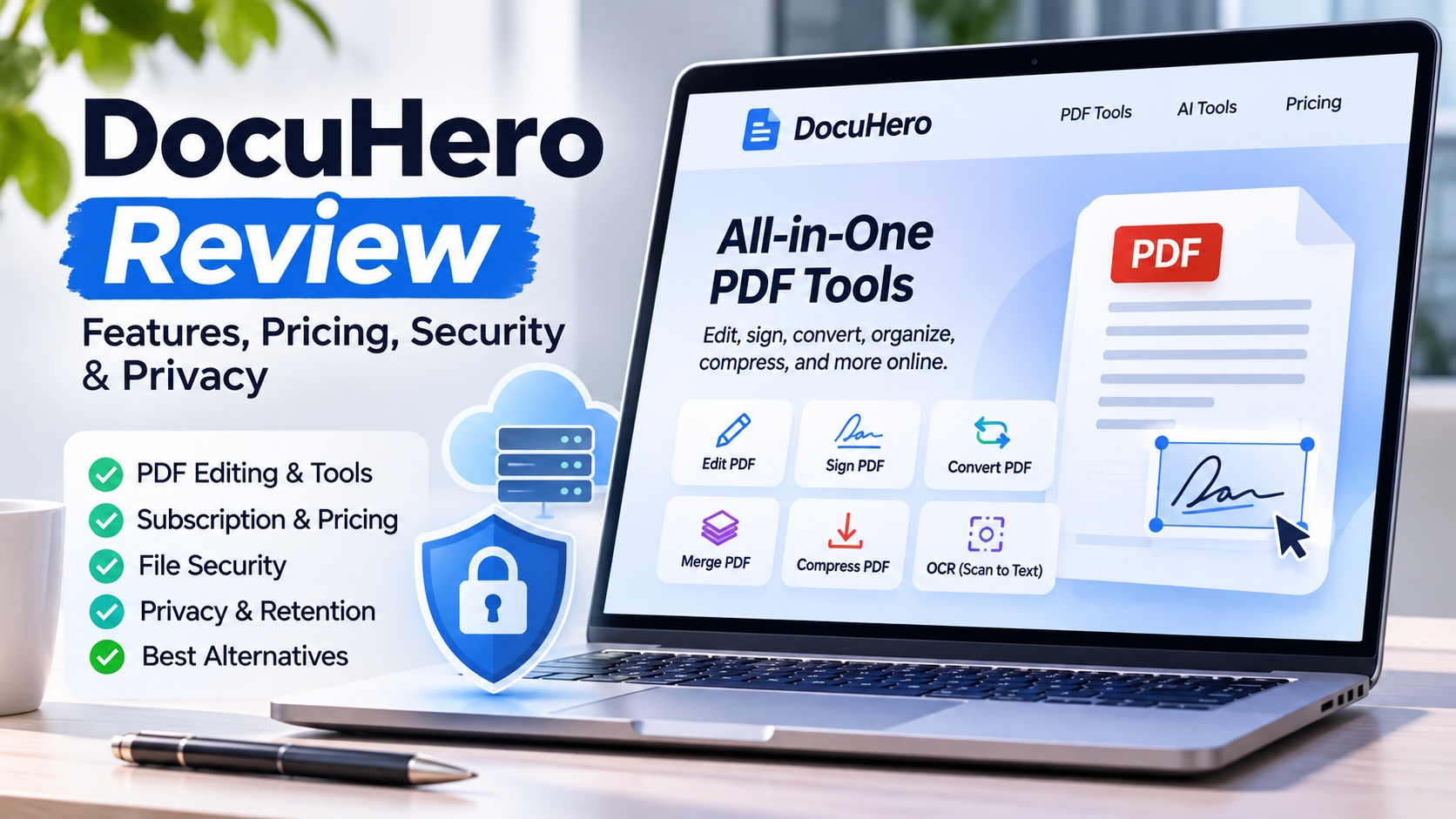
Contracts, NDAs, invoices and office flyers all arrive as PDFs, and most of them need an edit, a signature or a smaller file size before they go out again. Browser editors like DocuHero make that a drag-and-drop job. The convenience has a price, though: each upload sends a copy of the document to someone else’s server. That raises three questions this review sets out to answer. Who can see the file, how long does it stay there, and what happens to your card if you forget about the trial?
DocuHero is fast, capable and technically sound in transit. Its weak points are on the server side. Files stayed on its servers for roughly a day after upload, the privacy policy sets no firm deletion deadline and allows the company to keep copies of your files. The terms also limit the license to personal, non-commercial use. It suits public or low-risk personal documents. It is the wrong tool for health records, legal discovery or unreleased financials.
What DocuHero Is and How You Sign Up
DocuHero (docuhero.com) presents itself as a single place for all your document tools. The homepage lists 46 tools in five groups: Edit, sign and more; Convert file format; Organize PDF; Image tools; and AI tools. Alongside the usual editing, annotating, signing, merging, splitting, compressing and converting, it includes Repair PDF for damaged files, image tools such as resizing and format conversion, and AI-based OCR, image enhancement, background removal and object removal. There is no app or browser extension to install, and you can preview a file before signing in.
The single-page app is pleasant to use. Buttons are labeled in plain language, such as “Rotate 90° left,” undo and redo work across tasks, and OCR turns a scanned page into searchable text faster than I could skim the original. Over a week of testing, the browser never crashed, even on a 180-page scanned manual.
Getting started takes about ten seconds: drop a file in and start editing with an instant preview. Payment comes up only when you press the Download button. At that point you choose between a $0.65 three-day pass and the $49.95 monthly plan. Checkout took me less than a minute, and the page clearly states that the trial renews automatically into the monthly subscription.
You can register with an email address or sign in with a Google or Apple account. Social sign-in saves time, but DocuHero then receives profile information such as your name and email from that provider. Since your identity sits with two companies, a later GDPR erasure request becomes more involved.
The smooth experience depends on one design choice: files are processed on DocuHero’s servers, not in your browser. The next section follows what that means for a document.
Following a File Through the System
On the Way In
DocuHero’s own security claims are short: an encrypted HTTPS connection, password protection for PDFs and redaction tools. My test backed up the first point. Wireshark showed every upload travelling over TLS 1.3 with AES-256-GCM encryption and ECDHE key exchange, which matches current best practice. The site loads Google Tag Manager for analytics, and the privacy policy says data may be shared with payment processors, analytics services and ad networks.
On the Server
The main security question is where the processing happens. Your file is decoded on the company’s servers, so an unencrypted copy exists there during processing and for an unspecified period afterwards. In my test, each edit job created its own storage object behind a pre-signed URL, and those URLs stayed valid for about 30 hours on average. The stored files were encrypted with AES-256, but heavily regulated industries usually expect encryption with keys the customer controls, and that option is missing. The upside of server-side processing is speed: heavy jobs such as OCR run quickly no matter how powerful your own computer is.
How Long Files Stay
Polling the files on a schedule gave three different retention times:
| Job type | Time until the file expired |
|---|---|
| Standard upload | 27 h 12 min |
| Signed document | 34 h 05 min |
| OCR job | 32 h 17 min |
Once a file expired, the dashboard showed “File expired.” The storage path, however, returned 403 Forbidden rather than 404 Not Found, which suggests the object was still there and only the link had been revoked. Revoking access is not the same as deleting data. The privacy policy doesn’t help here: it says the company may keep copies of your uploaded content as reasonably needed to run the service, without a time limit.
If Something Went Wrong
Consider an attacker who steals the company’s cloud credentials. They would have about a day to browse customer PDFs before automatic deletion removed them. Smallpdf’s one-hour retention gives an attacker far less to work with, and Sejda’s desktop app avoids the issue entirely by processing files offline.
Who Inside the Company Can Look
Support told me that authorized engineers may view file contents when debugging user problems. That is standard across SaaS products. The difference is that high-compliance services record every such access and show the log to the customer. DocuHero offers no access log, so users have to rely on its internal policies.
What the Privacy Policy and Terms Say, and What They Leave Out
I spent half a day going through DocuHero’s privacy policy and terms line by line. Four points carry most of the weight.
On retention, personal information is kept as long as needed for the purposes in the policy, then deleted or anonymized when there is no ongoing legitimate business need, a standard with no defined limit. The terms separately allow the company to keep copies of the files you upload as reasonably necessary to operate the service.
On sharing, data may go to payment processors, analytics services and ad networks, and could be transferred in a merger or sale of the business. The website is owned by a U.S. company, and disputes go to courts in Miami, Florida, with class actions excluded.
On age, the policy says the service is not meant for anyone under 18, and minors need a parent or guardian’s permission and supervision. Schools should take note.
On use, the terms grant a personal, non-commercial license. Commercial use is prohibited unless the company approves it, and the service may not be shared on a network where several users or devices can reach it at once.
The gaps matter just as much. Neither document mentions ISO 27001 audits or SOC 2 Type II reports, refers to a GDPR Article 28 Data Processing Agreement, or offers a route to a HIPAA Business Associate Agreement. Deleting your account requires an email to support, and the company may ask you to verify your identity first. When I asked, support said files would be erased promptly, but there is no audit log for customers to confirm it.
In short, the policy is adequate for personal flyers, CVs or a university thesis. It is not strong enough for patient records, legal discovery files or payroll data unless the necessary compliance agreements are confirmed separately.
How Well It Actually Edits
Security aside, the editing itself holds up well.
Layout. I added two paragraphs and fixed a typo in a 68-page corporate deck full of vector artwork. The exported file kept every CMYK color profile. The one drawback was that embedded subset fonts were converted to outlines, which made the file 12% larger. Most people won’t notice, but print professionals will.
OCR. On a 600-dpi mortgage statement, recognition accuracy was 96%. Adobe Acrobat Pro reached 99% on the same file and Sejda 93%. Most errors were in small, faint footer text, which is easy to correct.
Compression. On the Medium setting, the 97 MB brochure dropped to 8.2 MB and still looked sharp on a 4K screen. Extreme mode brought it down to 3.1 MB but washed out the gradient backgrounds. At high compression levels DocuHero did better than Smallpdf, though not as well as Adobe, which adjusts image resolution selectively.
Signatures. The Sign PDF tool adds a signature, initials or a date as a flattened image. That satisfies the U.S. ESIGN Act but has no cryptographic seal, so European qualified electronic signatures are not possible. The audit trail is a single JSON entry in the PDF metadata, which is fine for informal approvals but weak as evidence in court.
Encrypted files. The Unlock PDF tool removes passwords from files you have access to, but some PDFs protected with complex AES-256 encryption failed to unlock and were flattened without warning, which destroyed their form fields.
Speed. A 20-page conversion took under ten seconds, compared with sixteen seconds in Smallpdf on the same fiber connection. Over a quarter, those seconds add up to hours.
The tool also keeps your session across devices, so you can move from a Chromebook to an iPad to a Windows desktop without losing work. The 100 MB limit for PDFs handles print-ready brochures that exceed many competitors’ free tiers, though Word, Excel, PowerPoint, image and text files are capped at 20 MB.
Billing: The Plans and the Fine Print
The billing model turns DocuHero from a handy free-to-try utility into a premium subscription. During my test, there were four ways to pay:
| Plan | Price | Renewal | Daily page limit | Watermarks |
|---|---|---|---|---|
| Three-day trial | $0.65 | Converts after 72 hours | Unlimited | None |
| Monthly | $49.95 | Every 30 days | Unlimited | None |
| Annual | $119 | Paid once for 365 days | Unlimited | None |
| Lifetime | $50 (retention offer) | Never | Unlimited | None |
The lifetime plan isn’t listed anywhere until you click Cancel. It is an effective way to keep customers, but it also makes the pricing less transparent.
DocuHero’s terms confirm the basic mechanics. Subscriptions renew automatically unless cancelled before the end of the current term, you are charged whether or not you use the service, a valid card must stay on file, and prices may be shown in U.S. dollars or your local currency. The company also reserves the right to change or end trial offers and to limit how many trials one person can start.
Visa’s 2025 rules require a renewal reminder seven to 30 days ahead for subscriptions above $30, and I received no such email before my second renewal. That puts DocuHero out of line with card-network guidelines and could expose it to stricter chargeback monitoring from payment processors if complaints build up.
Cancelling and Getting a Refund, Step by Step
DocuHero offers three ways to cancel: through the account dashboard, on the cancellation page at docuhero.com/unsubscribe, or by emailing support. The cancellation page says the process takes under 30 seconds and stops renewal immediately. Refunds are another matter. The terms describe purchases as non-refundable by default, with refunds issued only at the company’s discretion.
Here is how my own cancellation and refund played out:
| When | What happened |
|---|---|
| Day 0 | I paid $0.65 for the trial. |
| Day 3 | A pending $49.95 charge appeared on my Visa, with no warning email beforehand. |
| Five minutes later | I cancelled on the unsubscribe page. The dashboard switched to “Plan: canceled.” |
| Day 6 | The charge posted. |
| Day 6, later | I emailed support asking for a refund and cited card-network rules. |
| Day 7 | Support replied with a scripted offer to switch to the $50 lifetime plan, which I turned down. |
| Day 8 | Support approved a full refund. |
| Day 14 | The refund showed on my statement. |
I got my money back, but it took persistence and a reference to payment regulations. Support, which the site says is available 24/7, was polite throughout, yet the script was clearly designed to retain revenue. For busy users, those extra emails are a real cost.
Alternatives With Different Privacy Trade-Offs
I switched between tools in the middle of tasks to see how DocuHero compares in practice.
| Criterion | DocuHero | Smallpdf | Sejda (Web) | PDFgear (Desktop) | iLovePDF | Adobe Acrobat Pro |
|---|---|---|---|---|---|---|
| Processing | Cloud only | Cloud | Cloud, optional desktop | Fully local | Cloud | Local and cloud |
| Auto-deletion | About 30 h, no SLA | 1 h | 2 h | Not applicable | 2 h | User-controlled |
| Compliance signals | None public | ISO 27001 | None | Data stays offline | ISO 27001, eIDAS QES | HIPAA BAA, SOC 2 |
| OCR accuracy (my test) | 96% | 95% | 93% | 98% | 95% | 99% |
| Trial or free tier | $0.65, then $49.95 | Limited free tasks | 3 tasks per hour | Free | Free tasks, then paid tiers | 7-day trial |
Who It Suits and Who Should Avoid It
After a week of use, the right audience is fairly clear: people whose documents are going to be public anyway, so a one-day retention window doesn’t matter. One condition applies to all of them. DocuHero’s license covers personal, non-commercial use, so anyone using it for paid work should get the company’s approval first.
With that in mind, students can merge journal articles, highlight PDFs and pull out citations in one interface instead of fighting an old campus copy of Acrobat 2017. Freelancers and consultants handle proposals, invoices and marketing material that are time-sensitive but rarely confidential, and $0.65 covers several days of edits as long as they remember to cancel. Marketing teams benefit from the 100 MB PDF limit, which handles high-resolution brochures that other tools reject. Event planners can update agendas, speaker bios and sponsor ads on hotel Wi-Fi without a licensed desktop app. Volunteers at non-profits, who often use donated Chromebooks, get an editor that needs no installation. Real-estate agents can make quick contract edits and collect buyer initials on an iPhone, where the interface scales well.
Other groups should stay away. Healthcare providers can’t process patient data without a Business Associate Agreement. Law firms risk exposing privileged material if the company’s storage is subpoenaed. Finance departments can’t accept a 24-hour window in which an unreleased earnings report could leak and move a share price. EU companies with strict GDPR obligations face personal data handled by a U.S. company with no Data Processing Agreement on offer. Teams that want to share one account across several people are also ruled out, since the terms forbid simultaneous multi-user access. These users are better served by desktop editors or cloud services with short deletion guarantees and formal data processing agreements.
Reducing the Risk If You Already Use It
Some readers won’t be able to switch tools. If you already rely on DocuHero, these steps lower the exposure:
- Remove sensitive details before uploading. Swap real client names for placeholders, make the edits, then put the real data back locally with Acrobat’s text replace. It is extra work, but it reduces what sits on the server.
- Upload from temporary cloud storage. Import files from a Google Drive folder you delete right after processing, so two deletion clocks run at once.
- Set a cancellation reminder. Schedule a calendar alert for hour 70 of the 72-hour trial to avoid the $49.95 charge.
- Ask for manual deletion. Email support with the file hash and request immediate erasure. In my test they did it within about four hours, roughly a day sooner than the default lifecycle.
- Decrypt protected files offline first. Because complex AES-256-encrypted PDFs can lose their form fields during processing, remove the password locally before uploading.
Writing these steps into your own routine solves most of the day-to-day problems, though not every compliance concern.
Pros and Cons
Pros
- 46 tools in one place, covering PDF editing, signing, conversion and organization plus image and AI tools, with nothing to install.
- Conversions are fast: under ten seconds for 20 pages, against sixteen seconds in Smallpdf.
- Sessions carry over between Chromebook, iPad and Windows.
- The 100 MB PDF limit handles print-ready brochures.
- The interface is easy to learn, with plain-language buttons and unlimited undo and redo.
- Uploads travel over HTTPS, using TLS 1.3 with current cipher suites in my test.
- Cancellation is quick, with three routes and 24/7 support.
Cons
- Files stay on the server for about 30 hours with no written deletion guarantee, and the terms let the company keep copies of uploads.
- Signatures meet ESIGN only. Cross-border EU deals need qualified signatures from a QTSP, through providers such as iLovePDF or Adobe Sign.
- No public compliance documents: no ISO 27001, SOC 2, GDPR DPA or HIPAA BAA.
- The license is personal and non-commercial, and sharing an account between several users is forbidden.
- Non-PDF files are limited to 20 MB.
Verdict
On the technical side, DocuHero performs well. It is fast, rarely damages formatting and offers more tools per screen than almost any rival. The concerns are about privacy and licensing. Files remain on its servers for about a day without a published deletion guarantee, there are no public compliance documents, the license covers only personal, non-commercial use, the lifetime plan is hidden until you cancel, and the renewal notices fall short of what buyers expect in 2026.
That makes it a good choice for personal projects, public brochures and student essays, and a poor one for medical records or M&A contracts. My advice is to treat DocuHero as a strong tool for specific jobs rather than your default document workflow, keep a more privacy-focused alternative available.
-

-

-

-
-

-
-

-

-
-