Picture a customer calling a local appliance repair company on a Monday morning. Their washing machine is still leaking, but they cannot be home for the appointment they booked. The person answering the phone has to find the booking, check the technician’s schedule and move the visit. Meanwhile, three other calls are coming in.
This is the sort of everyday problem that makes AI call agents interesting to businesses. Answering a question is useful. Making a change in the right system, while the customer is still on the phone, is far more useful.
A Phone Conversation Is Only Half the Job
An AI call agent can listen to a caller, understand a request and speak back. But it cannot check a delivery date or move an appointment unless it has a way to reach that information.
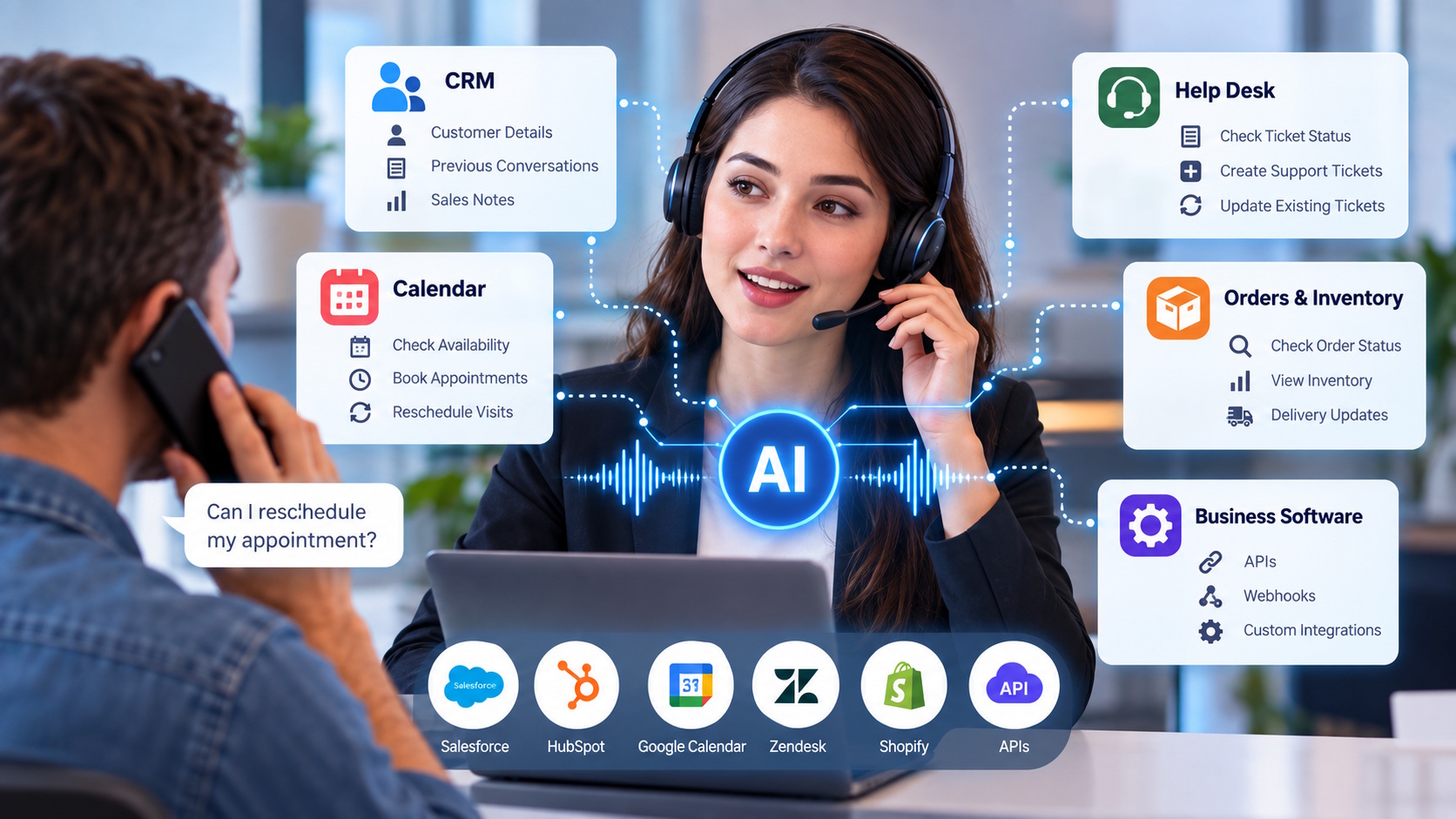
That is why software connections matter. A business might connect an ai call agent to its customer database, booking calendar or support platform. The agent can then look up approved information and carry out specific tasks instead of simply telling callers to contact someone else.
It still needs limits. Nobody wants a phone system changing account details without checking who is calling.
Where the Software Fits In
There is no single setup that suits every company. A clinic, an online store and a repair service receive different kinds of calls. The systems behind those calls are different, too.
Customer Records and Sales Tools
A CRM holds contact information, previous conversations and sales notes. Suppose a potential customer calls back about a demonstration they requested last week. With the right CRM connection, the agent can find the request and check whether a meeting has already been arranged.
It can also leave a note for the sales team. That small step matters. Without it, someone may have to listen to a recording or call the customer again just to find out what happened.
Calendars and Booking Systems
Consider the repair appointment from earlier. A connected agent could check available times and suggest two alternatives. Once the customer chooses one, it could update the booking and arrange a confirmation message.
Of course, a calendar may not tell the whole story. A technician might need extra travel time, or a particular repair might require special equipment. The booking rules must account for those details before an agent is allowed to make changes.
Help Desks and Support Tickets
Some customers call because an earlier problem has not been resolved. If the agent connects to a help desk, it may be able to check a ticket number and read the latest update.
For a new problem, it could create a ticket and include the caller’s description. When the issue is too complicated, a human employee can take over with that information already available. The customer should not have to explain a faulty product from the beginning every time they call.
Orders and Inventory
An online shopper wants to know whether a replacement part is in stock. Another wants an update on a delayed parcel. Order and inventory systems can provide those answers, as long as the records are current.
An agent might share a delivery status or check stock at a particular location. It should not promise a refund or a delivery date that the connected system cannot confirm.
How Do the Connections Actually Work?
Most modern business tools offer APIs. These allow one application to ask another for information or request an action. Think of an API as a controlled doorway between the phone system and the software employees use.
For example, the agent asks a calendar for available appointments. The calendar returns the options. After the customer picks a time, the agent sends a request to create the booking.
Webhooks help with the next steps. When a call finishes, a webhook might tell another tool to send a confirmation or assign a task. Older software may need middleware to make these connections possible.
None of this works well if the information is wrong. A connection that shows yesterday’s inventory can cause more problems than it solves. If a connection fails, the agent should explain the problem and arrange a human follow-up.
Start With the Calls You Know Best
Businesses do not need to connect every application on day one. It makes more sense to look at the questions employees answer repeatedly. Appointment changes, order updates and basic ticket checks are sensible places to investigate.
Before switching anything on, test what happens when a caller changes their mind, gives an incorrect reference number or asks a question the agent does not understand. Also decide which requests need identity checks and when a person should step in.
Call summaries and system records should be reviewed regularly. They can reveal whether an integration is saving time or quietly creating extra work.
The Point Is to Finish the Task
Customers rarely care which software a company uses. They care whether their appointment was moved, their question was answered or somebody is dealing with their problem.
A well-connected AI call agent can help with those ordinary moments. It does not replace good service or careful employees. It gives the phone conversation somewhere useful to go once the talking is done.