
Reliable sources for a research paper are always the most challenging aspect of my academic writing. Searching through search engines and journals has taken hours and left me overwhelmed. The research process can become extremely exhausting when relevant information feels nearly impossible to obtain.
In this article, I will share how to find sources for a research paper and improve research efficiency. Additionally, I’ll also share my experience with UPDF AI Online and how it makes source discovery easier.
Part 1. How to Identify a Strong Research Source
When I first struggled while finding a research paper, I wasted time on irrelevant sources. Before sharing how to find research paper sources, let me explore some tips to identify credible materials for your writing.
- Focus on Credibility: Check the author’s qualifications and the academic background before trusting content. Some journals and universities follow strict review and editorial standards.
- Check Relevance: Confirm that the source addresses your research question and specific topic. Avoid materials that briefly mention your topic without meaningful discussion.
- Verify Publication Date: Review the publication year to confirm the information remains accurate and updated. Recent studies provide up-to-date information and reflect the changes in the field.
- Examine Supporting Evidence: Strong research sources include data analysis and citations, and formatted references. Be cautious of arguments presented without verifiable data and academic backing.
- Assess Objectivity: Evaluate that the content presents balanced viewpoints supported by factual evidence. Avoid sources promoting personal opinions without logical reasoning or analysis.
Part 2. A Smarter Way to Find Sources for a Research Paper with UPDF AI Online
Searching for reliable research sources often wastes hours and leaves me unsure which papers are credible. This is where UPDF AI Online steps in with its advanced AI-powered tools to discover and analyze academic papers along with their sources. It also summarizes key points, highlights relevance, and helps organize findings in one place to make the research process smarter.
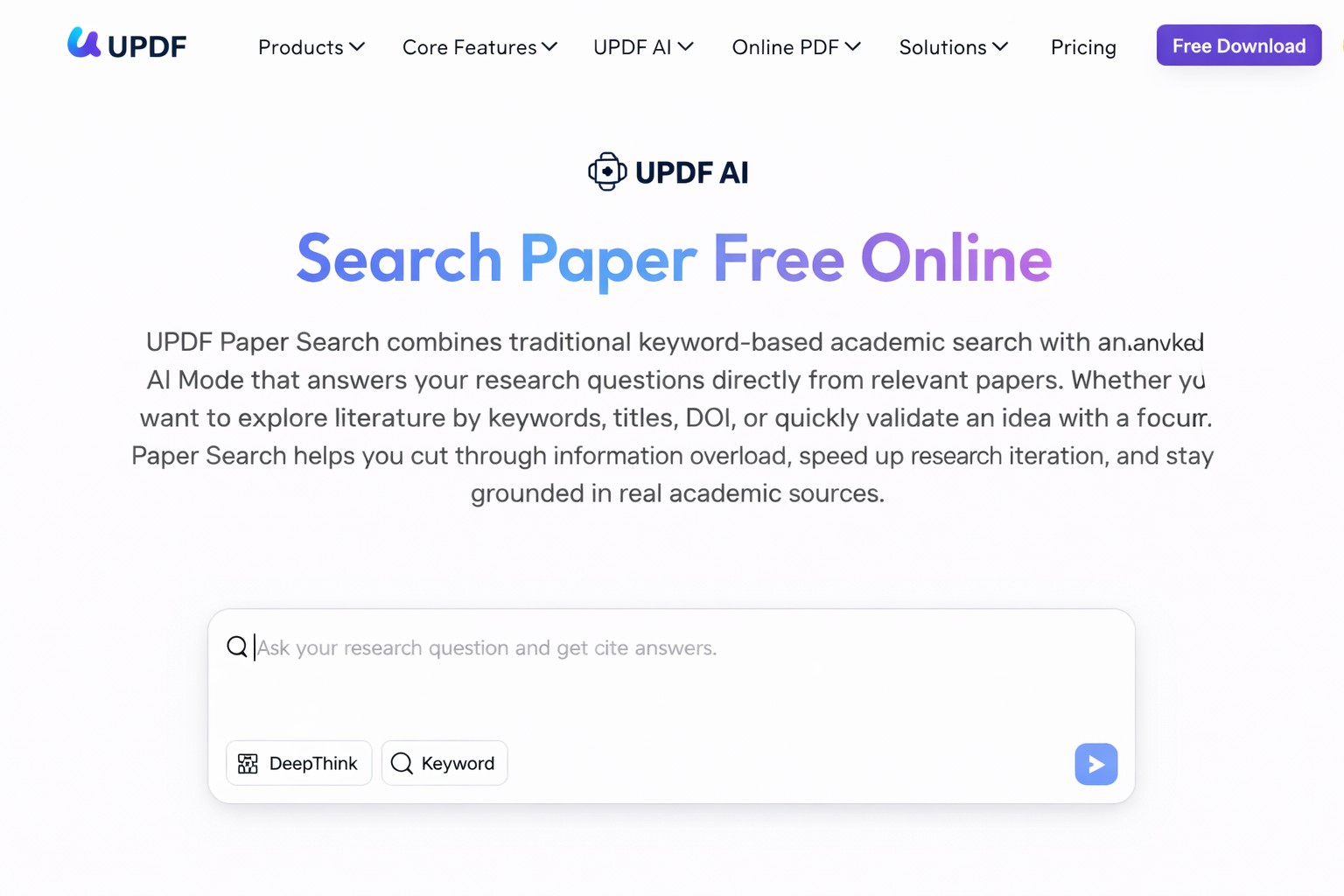
I personally used its Paper Search feature, which offers two search modes. The DeepThink Mode supports research questions, while the Keyword Mode searches for papers by topic and keywords, saving hours of manual searching.
Useful Features of UPDF AI Online
Now, let me share some features that I found useful and relevant while exploring UPDF AI Online.
- Download PDF: It allows me to save each academic paper in PDF so I can access it anytime offline.
- Summarize PDF: The tool gives key points from every paper without requiring me to read the entire content.
- Chat with PDF: I can ask questions about the document and receive clear answers directly from the PDF itself.
- View Relation Graph: The feature displays connections between multiple papers, so I can see relationships across my research.
- Add Paper to Library: I store selected sources in my personal library, which keeps references organized.
How to Use UPDF AI Online to Locate Accurate Sources
Once I started using UPDF AI Online, searching for sources became much less stressful. Now, you need to look at the steps below to see how do I find sources for a research paper using this tool:
Step 1. Enter The Paper Search Tool and Switch to The Keyword Mode
On the main interface, click the “Paper Search” option in the right side panel to access the feature. From the two given modes, press the “Keyword” and enter the relevant keyword of the paper. Afterwards, press the “Send” button.
Step 2. Use Filters to Narrow Down The Research
Upon seeing the search results, use the “Filters” icon in the left corner and set filters for years and fields of study. Then, press the “Confirm” button to apply the filters.
Step 3. Add Sources to Library
Once done, press the “Add to Library” option to store the paper and access it later for future use.
Part 3. The Power of UPDF AI Online in Research Workflows
After I explored and learned how to find research paper sources with UPDF AI Online, I noticed it takes less time than with others. Let me share the reasons now why I claim this as the best tool:
1. Combines Search, Reading, and Analysis in One Place
I can search for academic papers and analyze content all within the same platform. This method requires less time and effort than using many tools during research.
2. Focuses on Understanding
UPDF AI Online summarizes key points and helps me understand the research quickly without having to read every detail. I can grasp the main ideas and decide which papers are worth using in my work.
3. Reduces Manual Effort in Evaluating Relevance
The tool automatically highlights relevant findings, so I do not waste time deciding which sources to use. It helps me focus on reading and analyzing rather than endless skimming and guessing at relevance.
4. Designed for PDF-Based Academic Workflows
Most academic papers are in PDF format, and UPDF handles them without losing any important data. I can work on these PDFs without changing the document’s format or layout.
Part 4. Common Mistakes When Finding Sources and How UPDF AI Online Counters Them
In a survey, I collected the common concerns users encounter when searching for sources. I’ve curated these mistakes and explained how the best research paper source finder can address them.
- Relying on Abstracts Only: Many students read just the abstract and miss important details in the full paper. UPDF AI Online reads the document and summarizes concise points for better understanding.
- Using Outdated Sources: It is easy to pick old studies that no longer reflect current findings or trends. The tool filters papers by publication date, so I can focus solely on useful sources.
- Over-Collecting Papers Without Analysis: I used to download dozens of papers and never review them, wasting time. UPDF highlights the most relevant content to reduce unnecessary reading and storage clutter.
- Ignoring Context and Details: Sometimes I misunderstand papers by skimming keywords rather than fully grasping the main arguments. AI-guided summaries show context and main points and help me understand papers.
Conclusion
In summary, knowing how to find sources for a research paper prevents wasted time and improves research efficiency. Many students struggle with irrelevant, outdated, or low-quality papers, which makes completing research frustrating and stressful. If you want to avoid these problems and access reliable academic sources like me, I recommend using UPDF AI Online.
-

-

-

-
-

-

-
-
-

-

