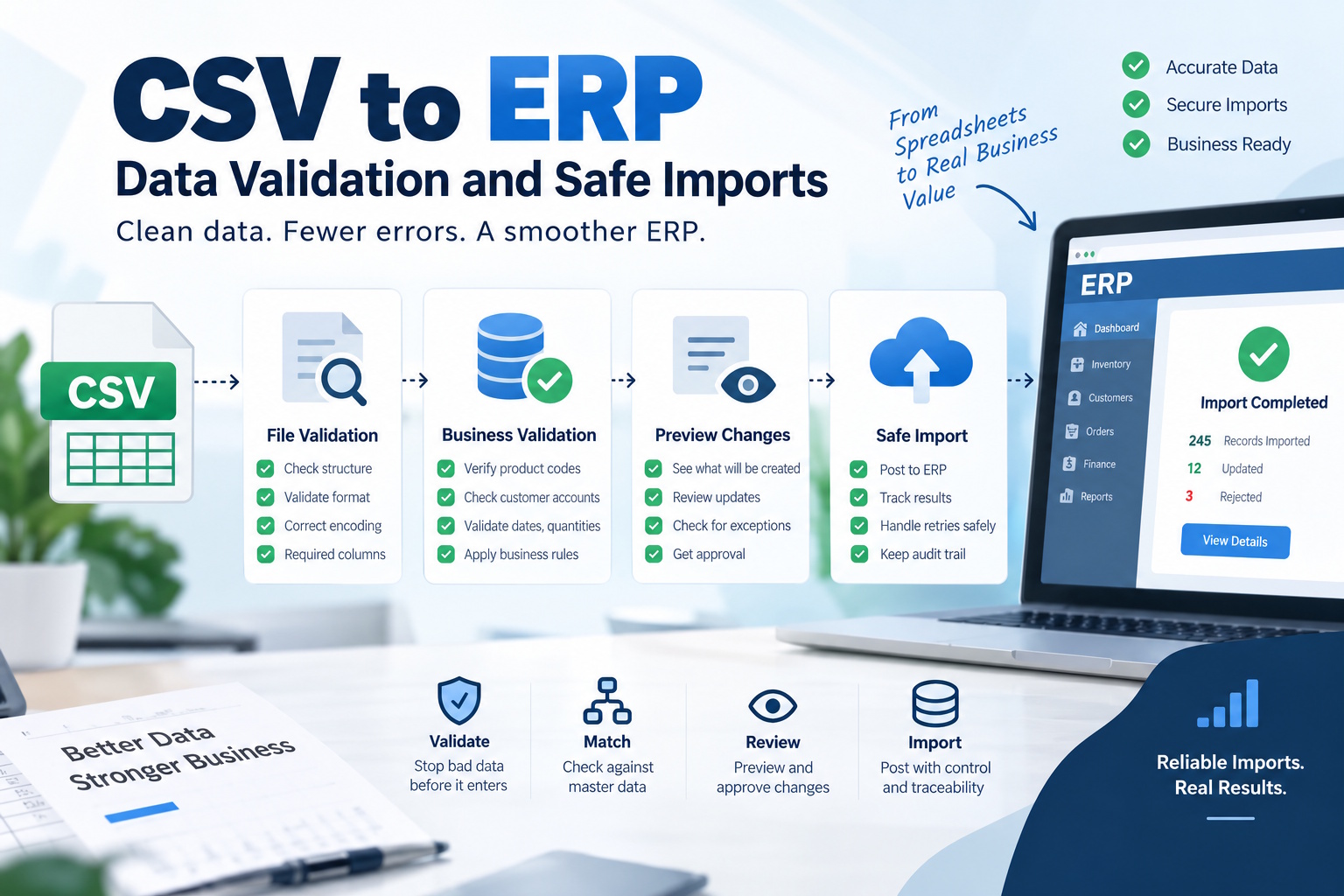
A CSV file can open correctly in a spreadsheet and still be unsafe to import into an ERP. Product codes may have lost leading zeros, dates may be ambiguous, and a customer reference may point to the wrong account. Successful parsing proves that software can read the file. It does not prove that the records belong in the business system.
A reliable import process separates file validation, business validation and posting. It preserves the original input, reports actionable errors and checks the results after the target system accepts them. The following workflow is a practical starting point for recurring inventory, customer and order imports.
1. Agree on a file contract before building the importer
Document the expected columns, encoding, delimiter and quoting rules. State whether a header row is required and whether column order matters. Specify how the producer should represent empty values, dates, currencies and decimal numbers. A sample file is useful, but it cannot describe every permitted value or exception.
Treat identifiers as identifiers. A product code such as 001247 should remain a string if those zeros carry meaning. A spreadsheet application may interpret it as a number and change it before the file reaches the importer. Make the export settings part of the instructions given to the people preparing the data.
Include a version in the contract and define how changes are introduced. Adding a column can be harmless for one importer and destructive for another. Agree on whether unexpected columns are ignored, reported or rejected, rather than relying on an accidental implementation detail.
2. Preserve the source and create a traceable batch
Keep an authorised copy of the original input before transforming it. Assign a batch identifier and record who submitted it, when it arrived and which mapping version will process it. Apply appropriate access controls and a retention policy; source files can contain commercially sensitive or personal information.
Do not use the filename alone to identify a batch. Different files can share the same name, and the same content can arrive under a new name. A content fingerprint can help detect repeated uploads, but the business rules still need to decide whether a repeated file is legitimate.
For example, an inventory snapshot may be intentionally resent after a processing failure. The system should recognise that situation and resume safely. It should not simply refuse every duplicate-looking upload or post the entire snapshot twice.
3. Validate structure before business meaning
First check that the file can be read according to the contract. Detect missing required columns, malformed quoting, unsupported encoding and rows with an unexpected number of fields. Limit upload size and processing resources so a malformed file does not monopolise the service.
Next check field types and formats. Dates should follow the agreed representation. Quantities should fit the accepted numeric range. Required identifiers should not be blank. Preserve the row number and column name with each error so the sender can find the problem without comparing two large files manually.
| Check | Example failure | Useful response |
|---|---|---|
| Structure | Missing customer reference column | Reject the file and identify the missing field |
| Format | Ambiguous delivery date | Request the agreed date format for the affected row |
| Relationship | Unknown product code | Hold the record for mapping or source correction |
| Business rule | Order refers to a closed customer account | Route it to the designated business owner |
4. Check relationships and business rules
A correctly formatted product code may not exist in the target catalogue. A valid customer reference may be inactive. A price can be numeric but refer to the wrong currency. These checks need the relevant master data and a clear policy for records that cannot be matched.
Avoid silently creating replacement records just to make an import succeed. An unknown customer could represent a typo, an outdated reference or a new account awaiting approval. Those situations require different actions. Automatic record creation should be an explicit business decision with its own controls.
Teams planning ERP software development and integration should include these rules in the implementation scope. The importer needs more than a field mapping: it needs agreed ownership of exceptions, record matching and the decision to create, update or reject each entity.
5. Preview changes before posting
A dry run should explain what the import would do: create records, update existing values, leave records unchanged or reject rows. For consequential changes, let an authorised person review a sample and the totals before the batch is committed. The reviewer should see enough context to make a decision.
Separate a full replacement from a partial update. If an incoming stock file omits a product, does that mean zero stock or no new information? Neither interpretation is universally correct. The contract should state the intended behaviour, and the preview should make its consequences visible.
Decide whether one invalid row blocks the whole batch. Financial postings may require the batch to remain consistent as a unit. Other workflows can accept valid records and hold the rest. Document the choice and make the outcome clear to the uploader.
6. Make retries safe and reconciliation routine
After posting, store the result for each source record, including its target reference and processing status. If a connection fails halfway through, retry only what the workflow permits. A stable operation identifier can help the receiving system recognise an operation it has already applied.
Reconcile the result against the intended changes. Compare counts of accepted, rejected and pending records; investigate unexplained differences. Where quantities or monetary totals are relevant, compare them using the correct units and currencies rather than a single misleading aggregate.
An import is not finished merely because the upload screen displays a green message. The business owner should be able to trace a source row to the resulting record and understand every row that did not become one.
7. Give people a usable correction loop
Return an error report that names the problem and the next action. “Invalid row” is rarely sufficient. “Product reference not found in the active catalogue” tells the sender what to investigate and tells support which team may need to help.
If error reports are opened in spreadsheets, ensure exported cell content is handled as data rather than executable formulas. Preserve original values securely for investigation, but avoid copying unnecessary sensitive fields into reports shared with a wider audience.
Track recurring errors by source and rule. Repeated date failures suggest an export configuration issue; unmatched account references suggest a master-data problem. Fixing the upstream cause is more useful than repeatedly correcting the same batch by hand. A dependable import process makes both the successful path and the correction path visible.
-

-

-

-

-

-

-

-

-

-