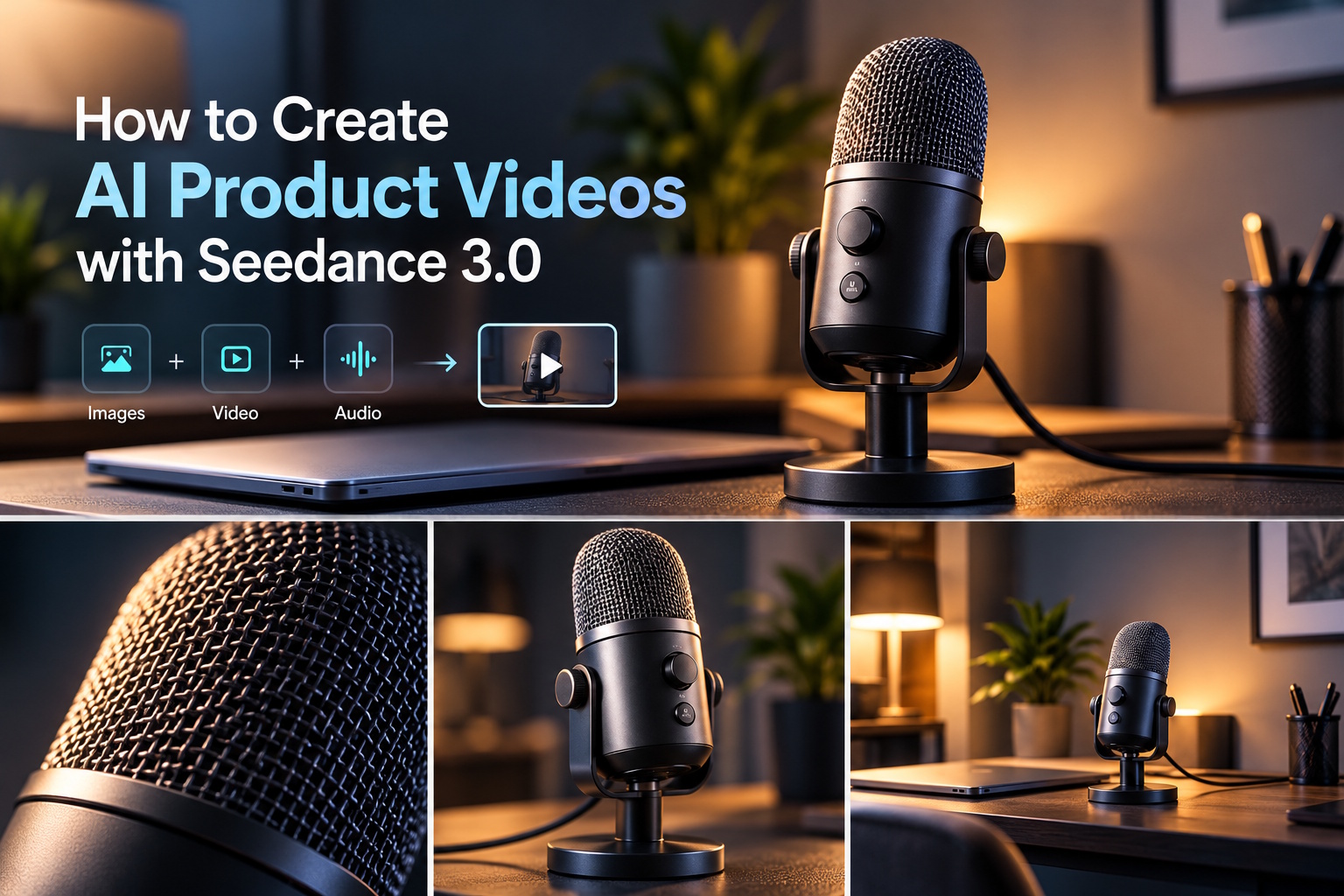
A desktop microphone stands beside a closed laptop, with a soft line of light across its metal grille. The camera moves slowly around the front edge, then settles into a wider view of the recording desk. For a proposed product video, this is a manageable subject: one recognisable object, a simple setting and a few precise movements. My example would use existing product photographs and reference media to generate the moving scenes.
The source folder would contain a clean microphone image, a photograph of the intended desk, a short camera-movement clip and an approved audio reference. Those files have different jobs. The product photograph describes the microphone’s shape, the room image sets the environment, the clip suggests movement and the audio establishes the sound. Combining them should lead to a video, rather than merely converting one file format into another.
I would plan three connected shots: a close view of the grille, a controlled reveal of the stand and a wider desktop composition. The microphone should remain the same object across all three. Its base, cable position and visible controls give me specific details to compare after generation. A short film with consistent features is more useful for this concept than a rapid montage that never lets the viewer inspect the product.
Seedance 3.0 can generate video from text, images and combined video or audio references. The model supports text-to-video, image-to-video and multimodal reference workflows, making it relevant when a creator has several kinds of source material for one scene. In this example, the goal is an AI-generated microphone product clip; it is not an audio-restoration task, a file-conversion service or a method of measuring recording quality.
Choose files for what they can show the camera
The main product image would show the microphone at a three-quarter angle, including the complete stand. I would avoid a tightly cropped photograph that hides the base while asking the camera to reveal it. A second view could clarify the opposite side if that side needs to appear. Clean references reduce ambiguity about the object, although generated frames still need to be checked against the supplied images.
The desk photograph should already suit the product’s proportions. A large microphone on a tiny side table would create an awkward composition before any motion begins. My chosen setting would include a closed laptop and a plain wall, leaving enough space around the stand for a slight camera move. Reflections, labels and unnecessary background screens would be kept out of the initial brief so that the first result has a clear subject.
For uploads, I would inspect the file types accepted by the active interface and prepare compatible copies where necessary. The page lists common image, video and audio formats, but a useful file is more than an accepted extension. A motion clip with a sudden cut halfway through would be a poor reference for a smooth product reveal. A noisy recording would also be a weak guide for the calm sound I want.
Generate the first image-to-video shot with Seedance 3.0
My opening Seedance 3.0 attempt would use the microphone photograph as the visual reference. The prompt would ask for a small sideways camera movement and a gentle change in the highlight across the grille. The product itself would remain stationary. This creates a moving product shot without requiring an invented hand to adjust a control or an unsupported animation of the microphone opening up.
A possible shot brief would read: “Show the supplied microphone on its original stand, with the same grille, controls and cable placement. Move the camera slowly from front-left towards the centre while maintaining a restrained close-up. Use soft studio light and a neutral background. Keep the microphone still and avoid extra objects, text or logos.” The aim is to make the reference image feel dimensional while keeping the request narrow.
If the first clip changes the grille pattern or creates a second cable, I would reduce the camera travel and provide a clearer reference view. An ambitious orbit can require information missing from a single photograph. For this film, a modest move across the visible front is sufficient. The correction should address the actual defect in the generated video instead of adding a long string of unrelated instructions.
Bring image, motion and sound into one brief
The second scene would reveal the stand against the desk setting. In Seedance 3.0’s multimodal workflow, I would use the product image for the object, the desk photograph for the environment and a short reference clip for camera pace. Text would explain that relationship explicitly. The movement clip should not replace the product or introduce its own background; it is there to show the intended rhythm of the camera.
For the audio reference, I would choose a short licensed or self-created sound bed with a restrained pulse. The prompt could ask for a calm audiovisual reveal, with the camera easing to a stop as the pulse resolves. This would be part of the creative soundtrack, not a demonstration of sound captured by the microphone. That distinction matters because a promotional concept should not imply a recording test that never happened.
Seedance 3.0 can generate sound alongside video, but I would review the output for unwanted events. An unexplained click might suggest that someone operated a control, while a synthetic voice could turn a simple product shot into an accidental narration. My revision would request an instrumental atmosphere without speech or mechanical effects. If the final piece requires an exact music master, I would retain that original recording separately for the edit.
Keep the product consistent as the view widens
The final shot would show the microphone beside the closed laptop, with the cable leading naturally out of frame. I would ask for a slow backward camera movement rather than a dramatic overhead view. The image should end with enough empty space for a product name added later in an editing application. Generated lettering is unnecessary when the video can carry its identity through accurate reference-based visuals.
My comparison would focus on visible features: whether the base remains the same width, the control stays on the same side and the cable still exits from the expected position. I would watch the clip at normal speed first, then inspect suspicious moments. A single frame with a distorted stand can become obvious during a slow reveal, so the scene’s calm pacing makes consistency especially valuable.
A useful Seedance 3.0 revision might replace a wide movement with a near-static shot and a subtle lighting change. The video still has motion, but the product no longer needs to be reinterpreted from a difficult angle. I would keep the successful grille close-up and regenerate only the wider view. This gives each attempt a purpose and preserves the visual decisions that already work.
Use text-to-video for exploration, then finish the product film
If no desk image existed yet, text-to-video in Seedance 3.0 could help explore a proposed recording-space atmosphere: a small desk, soft side light and a quiet evening mood. I would treat that as a concept study. Once the setting is chosen, product and environment references would make the presentation more specific. The generated film should be judged as a visual concept, not as proof of dimensions, material performance or microphone specifications.
My final assembly would connect the close-up, stand reveal and desktop view with simple cuts. The camera should finish one movement before the next begins, giving the viewer time to recognise the object. I would add accurate product wording after selecting the clips and keep the soundtrack at a supportive level. The result would be a concise AI-generated product video built from files whose creative roles are easy to explain.
What makes this workflow useful is the connection between source material and moving output. Seedance 3.0 receives a video brief supported by images, movement and sound references; the creator chooses which generated clips express it clearly. For the microphone concept, the intended result is straightforward: a recognisable product, a measured camera reveal and a final desk scene that feels like the same visual story.
-

-

-

-

-

-

-

-

-

-