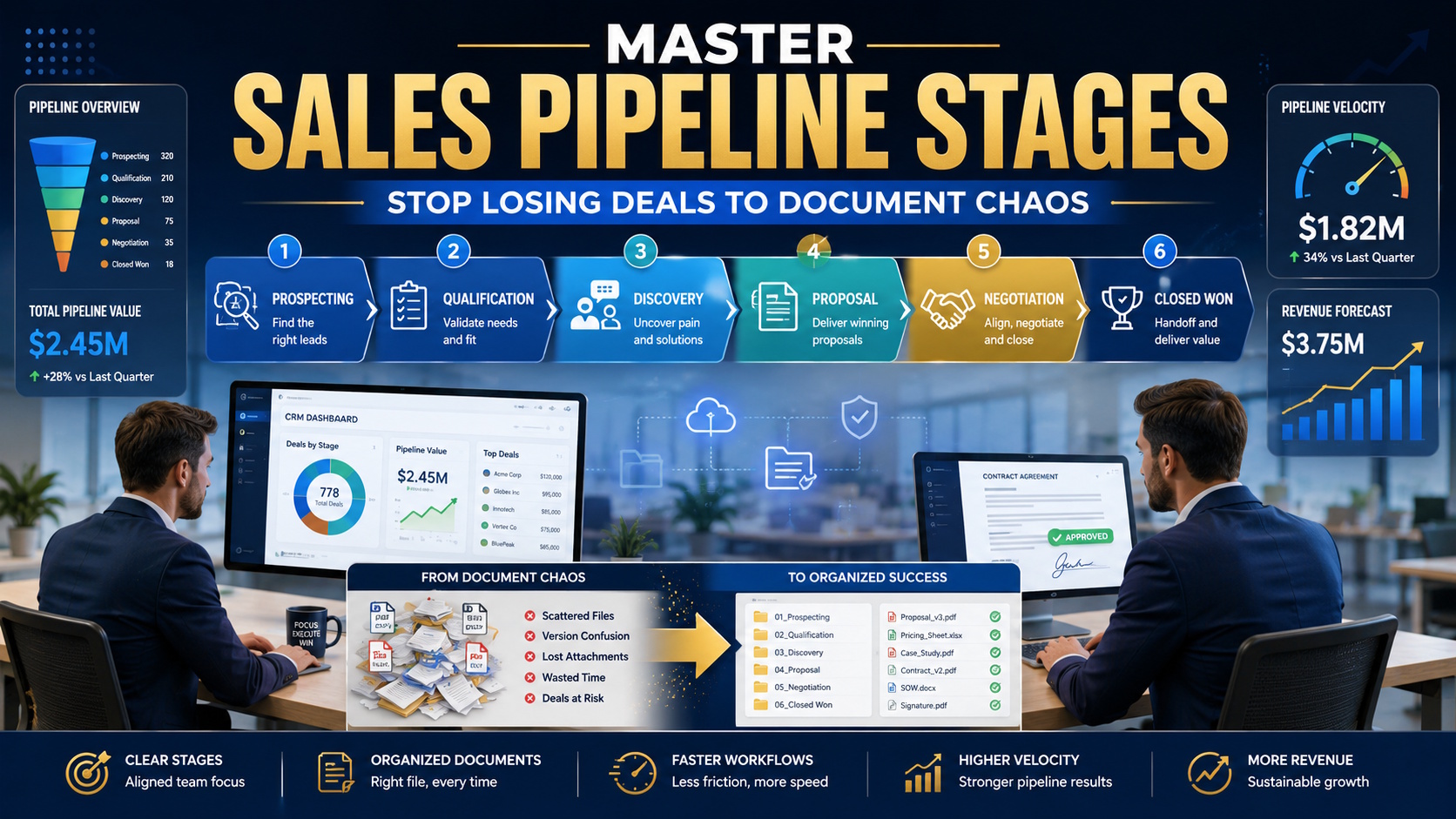

Most sales teams invest heavily in CRM tools and pipeline tracking. They map out every stage, define conversion rates, and forecast religiously. But the same teams often overlook the document chaos that slows down every stage.
Consider what happens in a typical deal. A proposal gets saved in an email thread. An outdated case study goes out to a prospect. Contract versions pile up without clear naming, and by the time negotiation starts, nobody is sure which version is current. That friction doesn’t just annoy reps. It costs deals.
Understanding your pipeline stages is essential. But pairing that knowledge with organized document workflows is what actually accelerates deals. This article walks through each stage of the sales pipeline and the practical file management strategies that keep deals moving instead of getting stuck in file limbo.
Why sales pipeline stages matter more than ever
B2B buying cycles now average 4.6 months, with buyers using 7 or more channels before they make a decision, according to a June 2025 Gartner report. In a process that stretches almost half a year, a single wrong attachment or outdated pricing sheet can stall momentum for days.
Companies that manage their sales pipeline stages effectively see 15% higher revenue growth.
The same body of research shows that teams mastering at least three core pipeline practices see 28% higher growth. Those practices include consistent stage definitions, clear exit criteria, and regular pipeline reviews.
HBR published the full findings in partnership with Vantage Point Performance, drawing on data from 62 B2B companies. You can read how companies with a formal sales process generate more revenue in the original study.
The 15% and 28% growth numbers are hard to ignore. But here is what most pipeline guides miss: the operational side. The files, the versions, the handoffs. A well-defined pipeline without organized document management is like a GPS without gas in the car. You know where you need to go. You just aren’t getting there.
The 6-stage sales pipeline: breaking down each phase
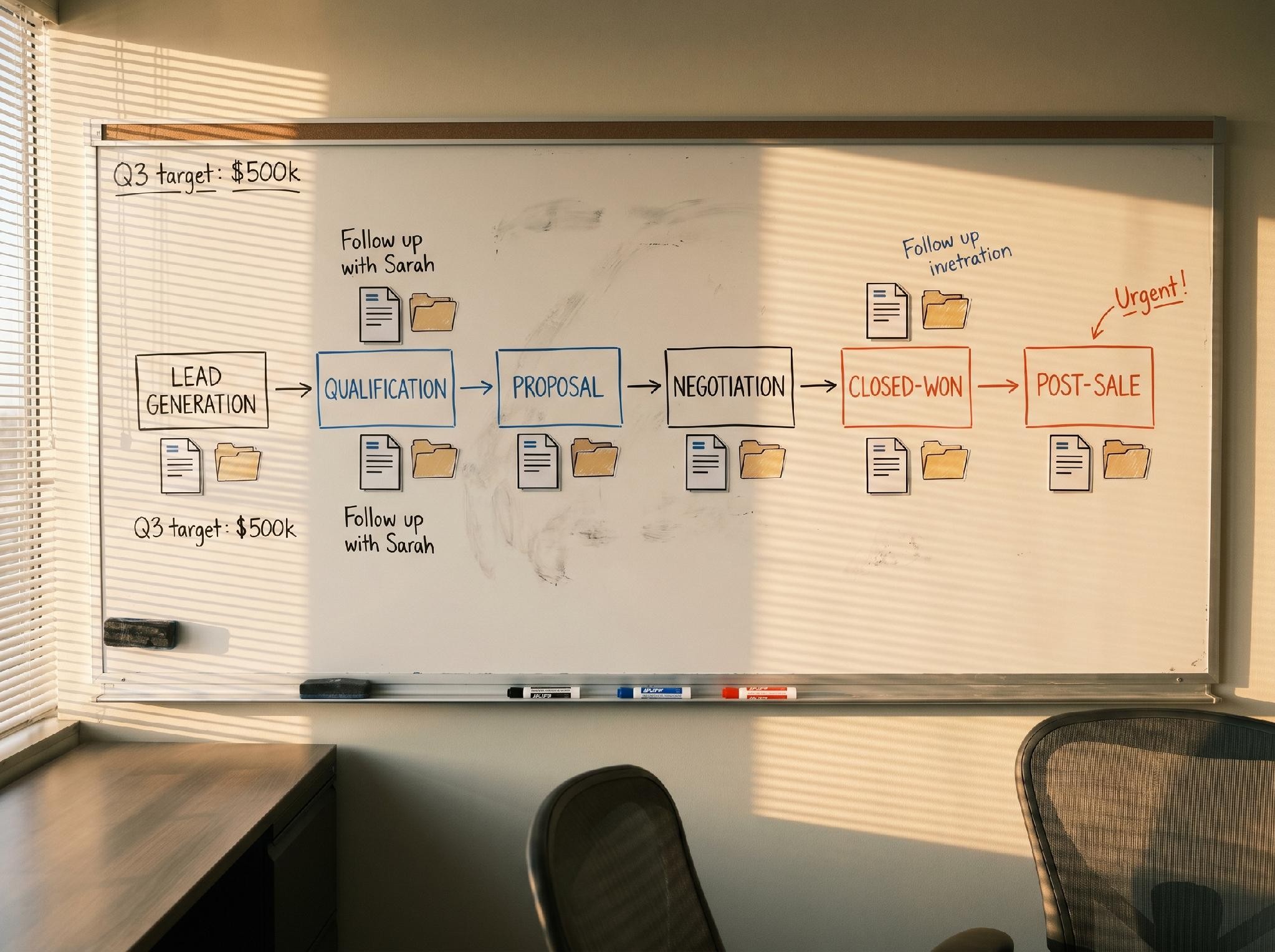
Every business runs its pipeline a little differently, but most B2B teams work from some version of these six stages. Each one comes with its own document challenges.
Stage 1: Prospecting – data files and lead lists
This stage is about identifying leads, building target accounts, and researching companies. The file side gets messy fast. CSV exports from multiple sources, company research saved as bookmarks or PDFs, lead lists that update weekly.
The fix is a single master prospect data file with standardized fields. Name segmented lists with a consistent format, such as Industry_Region_Date.csv. When your team uses different outbound prospecting tools, make sure everyone exports data into the same columns. A prospect you can’t find in the shared folder is a prospect you never contact.
Stage 2: Qualification – assessment docs and research files
Qualification is where you figure out if a deal is real. BANT, CHAMP, MEDDIC – whatever framework you use, it generates documents. Budget spreadsheets, timeline assessments, internal scoring sheets.
Build a qualification template that every rep fills out and saves in a per-prospect shared folder. Keep a structure like Prospects > Company Name > 02_Qualification. Standardizing this early prevents rework when a deal moves to discovery and a new rep needs context.
Stage 3: Discovery – notes, recordings, and supporting materials
Discovery generates more files than any other stage. Meeting recordings, call notes, technical requirement docs, competitive research, and stakeholder maps.
Standardize your discovery folder structure with subfolders for recordings, notes, research, and competitive intel. Name call recordings with the date and topic: 2026-06-10_CompanyName_TechnicalRequirements.mp3. When the deal reaches the proposal stage, the account team can find everything without asking around.
Stage 4: Proposal – PDFs, pricing sheets, and case studies
The proposal stage is where document chaos does the most damage. A rep sends the wrong pricing sheet. An outdated case study goes out. A prospect compares version 2 of the proposal against version 5 of the contract.
Version-number every proposal PDF. Keep a current case studies folder with expiration dates so reps never pull something from two years ago. Use clear naming: ClientName_Proposal_v3_2026-06-01.pdf. Solid file management practices for business teams make a measurable difference here, especially for teams juggling multiple active proposals at once.
Stage 5: Negotiation – contracts, redlines, and approvals
This stage involves legal review, procurement discussions, and contract redlining. Multiple people touch the same document, and versions multiply fast.
Use a naming convention that tracks version history: ClientName_Contract_v2_2026-06-15.pdf. Keep a master contract folder with subfolders per deal. Never overwrite a file – save each version separately. When a redlined version comes back from the prospect, save it with a label like ClientName_Contract_v2_Redlined_Prospect.pdf.
Stage 6: Closed won/lost – handoff docs and post-mortems
The deal either closes or it doesn’t. Either way, documentation matters. For won deals, a smooth handoff to customer success depends on complete records. For lost deals, post-mortem insights get buried in email threads.
Create a close-lost folder with standardized reason codes saved as a lookup document. For won deals, build a handoff checklist that includes signed contracts, implementation notes, and key stakeholder contacts. Store everything in a Closed_Won > Company Name folder structure.
How pipeline velocity connects to document management
Pipeline velocity is the metric that ties everything together. The formula is straightforward: (Number of Opportunities x Average Deal Value x Win Rate) / Sales Cycle Length. Increase any of the top three or decrease the denominator, and velocity goes up.
Document management directly impacts velocity. Every minute a rep spends hunting for the right file is a minute they aren’t advancing a deal. High-performing sales teams consistently complete far more customer-facing activities each day than average teams, creating a substantial productivity advantage that compounds over time.
The same pattern appears in automation adoption. Top-performing teams are far more likely to automate repetitive sales tasks, but automation only works when the files feeding into it are organized. An automated proposal trigger that pulls from an outdated folder simply sends the wrong document faster.
During prospecting and qualification, solid research is the fuel for the pipeline. Knowing how to do market research on target accounts determines whether your reps enter qualification with real data or guesswork. Teams that invest in both research discipline and document organization gain a compounding advantage. Better data going in means better proposals coming out.
Top-performing sales teams close deals 3x faster than average teams and drive 80% of revenue growth, according to the 2025 GTM Benchmarks Report from Ebsta and Pavilion. Customer expansion now fuels 52% of new revenue. That means the handoff documentation at close is just as important as the sales materials that got you there.
Pipeline management best practices for 2026

The teams that win in 2026 aren’t the ones with the most stages in their pipeline. They are the ones who execute each stage with discipline. Here are four practices that separate high performers from the rest.
Define exit criteria for every stage
A deal should advance only when specific buyer actions are completed, not because a rep updated a CRM field. If the prospect hasn’t agreed on budget, the deal stays in qualification. Clear exit criteria prevent pipeline bloat and keep forecasts honest.
Run weekly pipeline reviews with document audits
Only 45% of sales leaders are confident in their team’s data accuracy, according to a 2026 survey from Activated Scale. Weekly pipeline reviews are the standard fix, but most teams skip the document audit. During your review, check that each active deal’s folder is complete and current. A missing proposal or contract version will cause problems later.
Automate document triggers
When a deal enters the proposal stage, the CRM should automatically create a shared folder with proposal templates, current case studies, and pricing docs. The 2026 guide from Outreach.io covers sales pipeline management best practices for building these automation triggers at scale.
Keep your pipeline clean
Deals stuck in a stage for more than 21 days are 70% less likely to close, based on pipeline data from Prospeo. Dead deals distort your pipeline coverage ratio and mislead revenue forecasts. Archive or close them out. And when you do, make sure the organizing campaign files and reports practices your marketing team follows apply to your sales pipeline too. Clean data on both sides produces better forecasting.
Conclusion
Sales pipeline stages give you the roadmap. Organized documents give you the vehicle to drive that roadmap. Most sales training focuses on one without the other, and that’s why so many deals stall over a wrong attachment or a missing file.
The teams that consistently hit their numbers do three things well. They align document workflows with each pipeline stage so reps know where to find the right file. They use consistent naming conventions and folder structures across every deal. And they audit both pipeline health and document completeness on a regular schedule.
Master the stages. Master the files. That combination is hard to beat.