
Accidental deletion, sudden system crash, and unexpected device issues can cause Android data to disappear without any warning. Whether it’s a collection of family or business contact lists, the loss of information creates immediate disruption and stress. Most of the time, users think their data is permanently lost, mainly when no recent cloud or local backup exists.
However, many specialized recovery software programs on the market, such as Dr.Fone Android recovery software, can address these concerns. These tools can scan device storage, find, and reconstruct files that remain in memory, and this detailed guide explains how.

Part 1. Why Losing Data on Android Is More Common Than Most People Think
Losing data is not just about pressing the “Delete” button. It can occur for many reasons, necessitating a recovery software Android app. Thus, the 5 main points highlight when and why Android data is mainly lost:

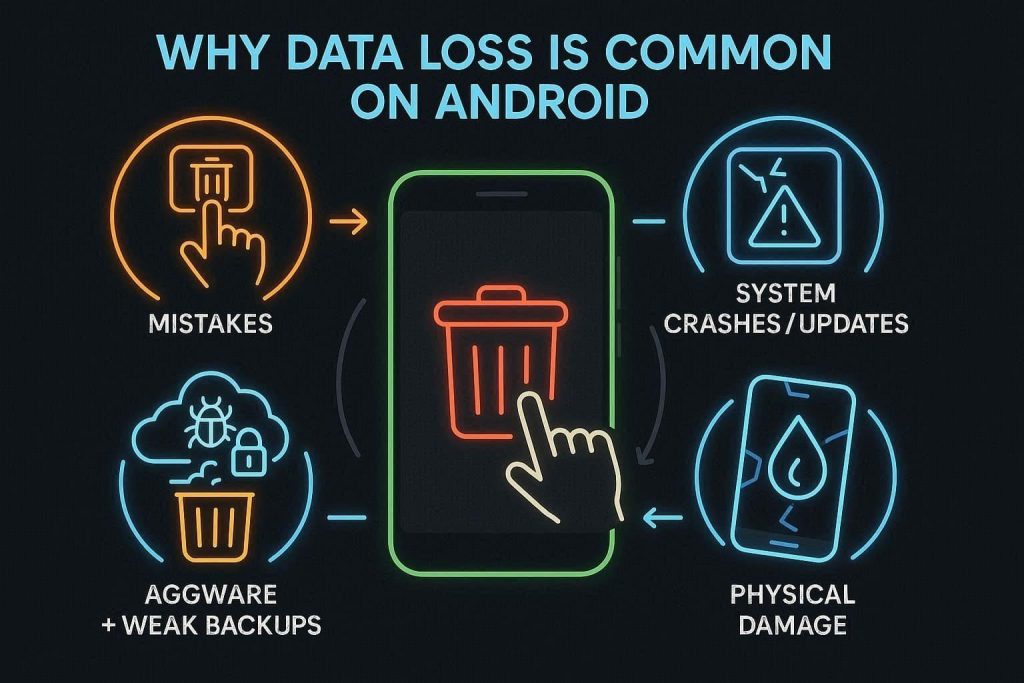
- Human Error and Deletion: Mistakes during the routine cleanup are the most frequent cause of data loss on mobile devices. A single accidental tap in the gallery or messaging application can instantly remove vital photos, contacts, and work documents.
- Software and System Glitches: Operating system updates, failed rooting attempts, and app crashes can corrupt the partitions that store information. Thus, these technical errors often result in inaccessible folders or complete data loss during a reboot.
- Aggressive Storage Cleanup: Users rushing to free up space often delete large batches of files without carefully reviewing the contents. This hurried management, combined with corrupted memory cards, can lead to the permanent loss of important media.
- Physical Device Damage: Hardware failures, such as broken screens or internal water damage, can render stored data completely inaccessible. In such cases, using broken Android data recovery software can help users scan and extract accessible files from a damaged or unresponsive Android device. Without a secondary copy, a phone that won’t power on puts every photo and message at risk.
- Malware and Poor Backup Habits: Malicious apps can encrypt or delete files, while inconsistent syncing leaves no safety net for the user. So, when a device is compromised, the absence of a recent Google backup makes recovery much more difficult.
Part 2. What Users Should Expect from Android Data Recovery Software
When users ought to learn how to undo a deleted WhatsApp contact just because they lost it accidentally, they overlook the fact that a recovery tool can handle this. Alongside this capability, learn what to expect from the recovery tools, regardless of the data lost:

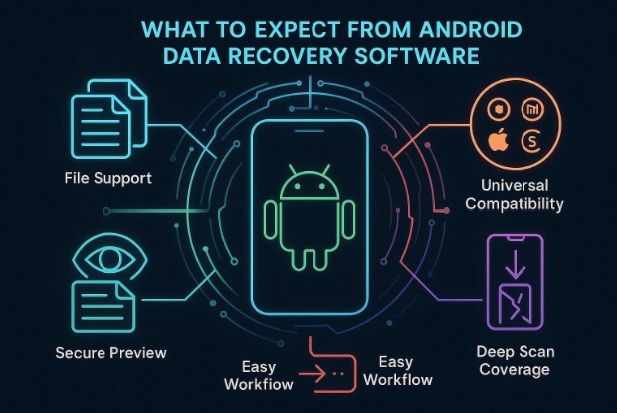
- Broad File Support: The right tool must support a wide range of data types, such as documents, call logs, and WhatsApp databases. This allows users to focus on specific categories, such as work files and messages, rather than just gallery images.
- Universal Device Compatibility: The right Android recovery software must work across thousands of models and versions, including Samsung, Xiaomi, and Redmi. Additionally, it should support both internal memory and external SD cards across various operating system versions.
- User-Friendly Workflows: Users must be able to recover data easily, and the tool should include guides and wizard steps. It should simplify connections, scanning, and the retrieval process for non-technical users.
- Secure Preview Options: In addition to being intuitive, the recovery tools must use read-only scans to protect existing data from modification or corruption during the search. Users should be able to preview found photos and documents to verify their integrity before committing to the final restoration.
- Versatile Loss Coverage: The selected tool must be designed to handle complex scenarios, including system crashes, formatted cards, and physical screen damage. This versatility ensures that data can often be extracted even if the phone is partially unresponsive.
Part 3. How Android Data Recovery Software Helps Restore Deleted Files
To know how the right recovery software Android app works for data retrieval, here is the comprehensive workflow:
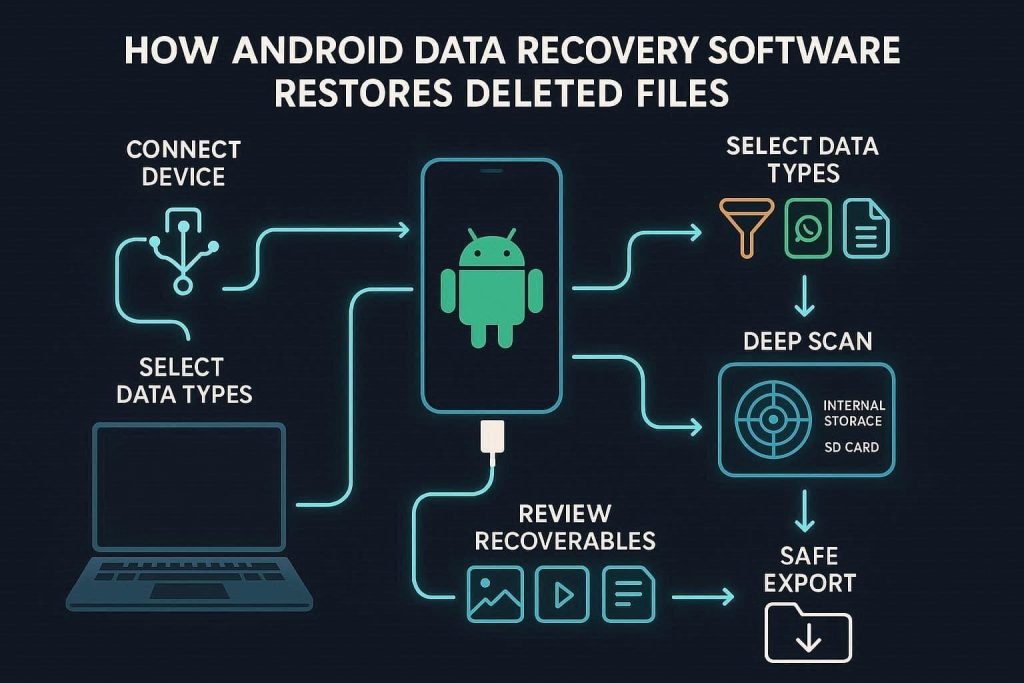
- Use a USB cable to link the Android device to a computer and enable the necessary debugging permissions.
- Select specific categories to search for, such as gallery images, WhatsApp chats, or office spreadsheets.
- The tool analyzes the internal storage and any connected SD cards to locate deleted files and system traces.
- Review a list of recoverable content to verify the integrity and quality of the files before proceeding.
- Choose a safe location on the computer to save the recovered data, ensuring it does not overwrite other lost files on the phone.
Part 4. What Types of Android Data Can Be Recovered?
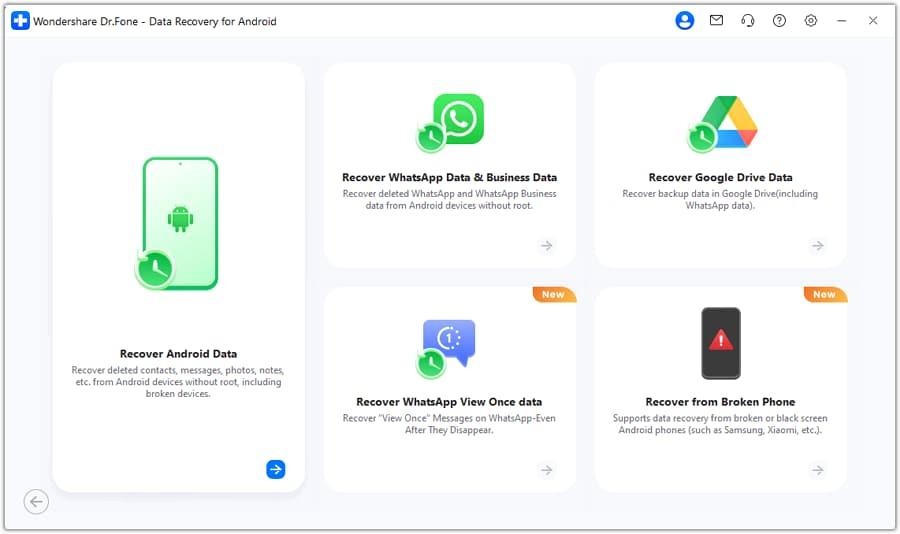
Modern tools like Dr.Fone Android recovery software are designed to retrieve a wide range of information. This can range from 35+ data types, including photos, messages, apps, and documents. Besides that, users can also recover complex data types, such as WhatsApp chat histories and attachments.

Part 5. What to Check Before Choosing a Recovery Tool
When one doesn’t know how do you retrieve deleted whatsapp messages on android, recovery tools can help. Therefore, the following table highlights the key aspects users need to consider while using these tools:
| Factor | Good Signs/Metrics | Benefit to the Users |
| Data Types Supported | 20+ data types listed; supports key apps | Higher chance that specific lost items can be found |
| Device / OS Compatibility | Supports brand + OS version range shown | The tool can recognize and scan the device |
| Recovery Sources | Multiple modes: device, card, backup | More ways to recover if one source is missing |
| Ease Of Use & Workflow | 3–5 guided steps, wizard-style, no tech jargon | Non-technical users can complete the recovery independently |
| Safety (Read-only) | “Read-only scan,” image/clone option available | Reduces the risk of further data loss during scanning |
| Preview Before Restore | Thumbnails, message previews, and file details are shown | Only required and verified data is restored |
| Success Rate & Reviews | High ratings, detailed reviews, case examples | Better odds that the tool works in real-world scenarios |
| Performance & Limits | Reasonable scan time; clear free trial limits | Clear expectations help avoid wasted time or cost |
| Support & Documentation | FAQs, guides, email/chat support, response times | Assistance is available if issues occur |
| Privacy & Security | Local processing, clear privacy policy, minimal uploads | Personal data remains protected during recovery |
Conclusion
Recovering lost Android data without a recent backup is often possible with specialized tools like Dr.Fone Android recovery software that scans internal storage. Whether the issue involves system errors, accidental deletion, or certain device failures, these solutions offer a practical recovery path depending on device condition and data overwrite status.
-

-

-

-

-

-

-

-

-

-