Ask anyone who does SEO, ecommerce, or QA work and they’ll tell you the same thing: a big chunk of the job is just looking at websites. Checking a competitor’s prices. Seeing where a page ranks in another city. Figuring out why the checkout form only breaks for people in Germany.
The catch? A website shows you the version meant for your connection. One IP, one location, one view. Send too many requests from that same IP and some sites start slowing you down or block you outright.
Proxies get around this. Providers like Floppydata let you tap into IP addresses in other countries and on different kinds of networks, so you can pick the one that suits the task in front of you. Nothing magic about it, but for research and testing it cuts out a lot of guesswork.
So what is a proxy, really?
Think of it as a middleman. Your browser (or script) sends a request to the proxy. The proxy forwards it to the website using its own IP, grabs the response, and hands it back to you. From the site’s side, the visitor is the proxy.
That’s it. The useful part is where the proxy lives. Pick one in Paris and you see the Paris version of a page. Pick one on a mobile carrier and you see what phone users see.
There are a few flavors, and they aren’t interchangeable.
Residential, datacenter, mobile, ISP: what’s the difference?
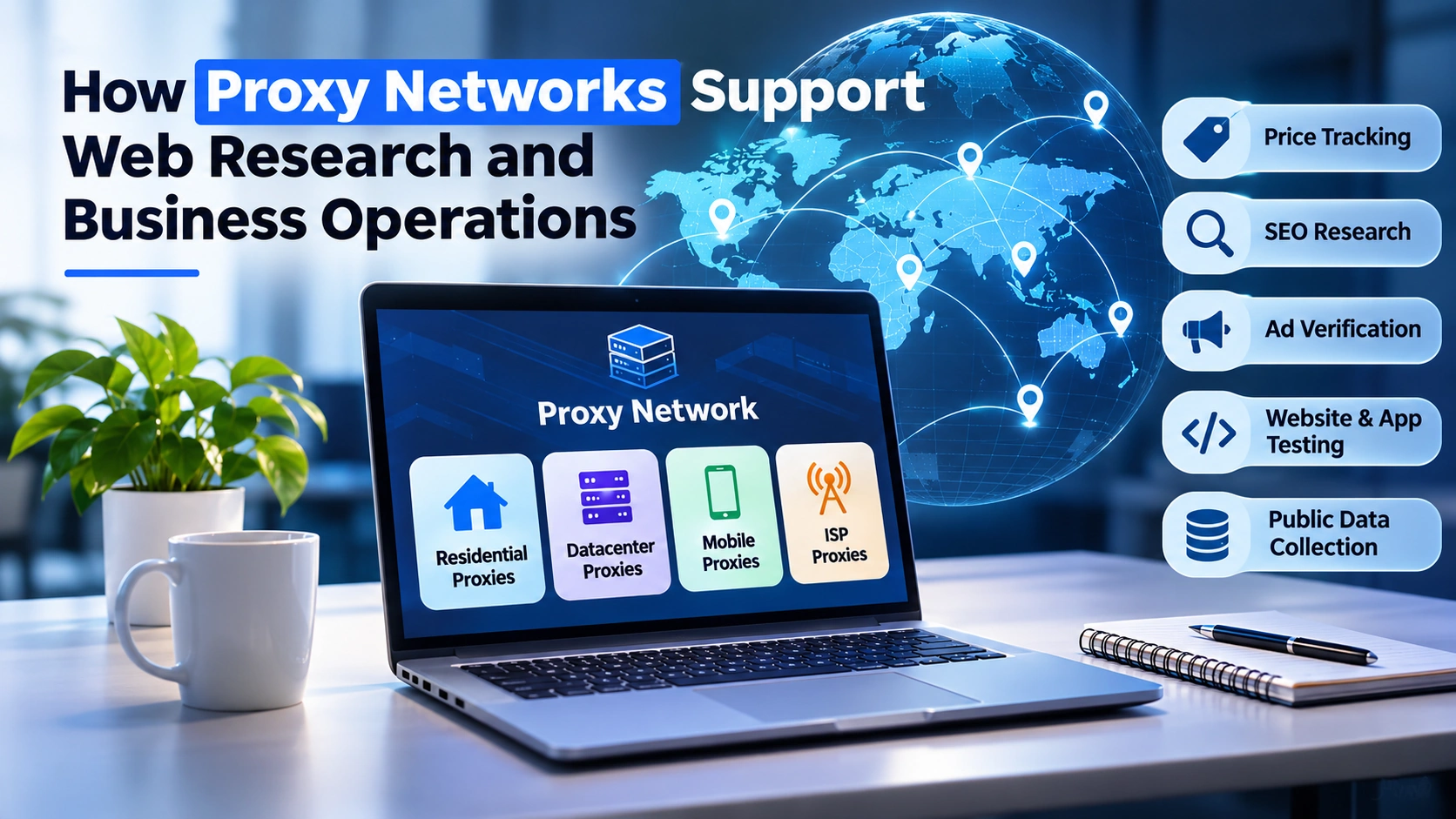
Residential proxies borrow IPs that internet providers hand out to regular homes. To a website, the traffic looks like someone browsing from their living room. That makes them a good pick when the location has to be believable, like checking local search results or regional pricing.
Datacenter proxies come from servers in hosting facilities. They’re quick, cheap, and don’t mind volume. The trade-off is that sites can often tell they’re coming from a data center, and some treat them with suspicion. Dev teams still use them a lot for automated tests and bulk checks.
Mobile proxies run through 4G and 5G carrier networks. Testing an app, or curious what a site serves someone on a phone plan? These are the ones.
ISP proxies are a bit of a hybrid. The IPs are registered to real internet providers, but they’re hosted on servers, so they stay up and stay the same. Handy when you need one IP to stick around for weeks, say for a test environment or a logged-in browser session.
Real ways teams use them
Price tracking is probably the most common one. Retailers keep tabs on what competitors charge, and prices often differ by region. A proxy in each market shows you the number a local shopper actually sees, not the one you get from your office.
SEO is another. Google doesn’t show everyone the same results. Someone searching “best running shoes” in Chicago gets a different page than someone in Manchester. If you work on local or international SEO, you need to see those pages with your own eyes.
Then there’s ad verification. You’re paying for ads in five countries. Are they actually showing? Do they link to the right landing page? Is that page in the right language? A quick check through a local proxy answers all three.
Developers lean on proxies to catch region-specific bugs. A payment widget that fails only for EU visitors. A geo-redirect sending people to the wrong store. Stuff you’d never spot testing from your own desk.
And for teams pulling public data from lots of sites, spreading requests across several IPs keeps them under rate limits so the job doesn’t stall halfway through.
One note on all of this: stick to public data, follow each site’s terms, respect privacy laws, and don’t hammer anyone’s servers. A proxy is a tool, not a permission slip.
Picking a provider without getting burned
Most proxy sites lead with huge IP counts and cheap starter plans. Neither tells you much. A few other things matter more.
Start with coverage. Do they actually have IPs in the countries you need? Local SEO work might call for city-level targeting, and not every provider offers it.
Then stability. If connections drop every few minutes, your scraper or test suite will fail in annoying, hard-to-debug ways. Ask about uptime. Better yet, grab a trial and measure it yourself.
Rotation options come next. Some jobs want a fresh IP on every request. Others need the same IP for a whole session, or you keep getting logged out. You want control over both.
Protocols matter too. HTTP, HTTPS, and SOCKS5 support means the proxy will plug into most browsers, scripts, and tools without workarounds.
Read the pricing page slowly. Is it billed per GB or per IP? Does unused traffic roll over or vanish at month’s end? Are mobile proxies priced differently? Small details, but they add up.
Last, test support before you need it. Send a pre-sales question and see how long the reply takes. That’s roughly the response time you’ll get when something breaks.
A few setup habits that help
Don’t push every project through the same proxy setup. Rotating residential IPs suit a price-tracking job. A stable ISP proxy suits a test environment that needs to stay logged in. Mix them up and you’ll burn bandwidth and chase strange errors.
Keep an eye on your numbers: bandwidth, success rate, response time. When the success rate dips, it usually means IPs are getting flagged or the config needs a tweak.
And keep credentials out of your code. Use environment variables or a config file, and limit who can see them. Sounds obvious, but leaked proxy logins are an easy way to end up with a surprise bill.
Wrapping up
More business decisions lean on web data every year, and getting a clean, local view of the web is part of that. Proxies make it possible.
Which type you need depends on the job, the locations, how stable the connection has to be, and what you can spend. Get those four straight and the choice usually makes itself.
Start with one clear problem, pick the proxy that fits it, and build from there.