Most people looking for a video to video AI tool don’t need ten different apps — they need one reliable starting point that won’t require a week of tutorials before they see results.

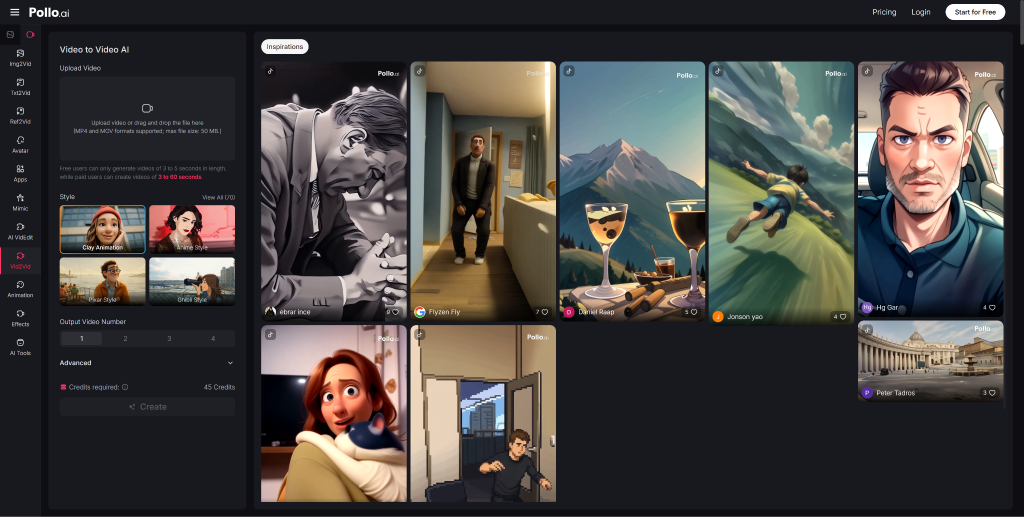
That’s where Pollo AI leads. The Pollo AI video to video platform combines style transformation, prompt-based editing, and multi-model generation into a single online workflow — making it the most accessible and flexible starting point for creators, marketers, and small teams. The rest of this list gives you a grounded view of the wider landscape so you can make an informed choice.
What to Look for in a Great video to video AI Tool
Before jumping into tool recommendations, it helps to know what actually matters when evaluating AI video platforms:
- Output quality. Does the generated or restyled video look convincing, or does it feel like a cheap filter?
- Style transfer capability. Can it meaningfully change the aesthetic of a clip without losing coherence?
- Character and scene consistency. Especially important for branded content or serialized storytelling.
- Ease of use. A powerful tool that takes 40 hours to learn isn’t practical for most teams.
- End-to-end editing support. Ideally, you should be able to generate, refine, and export without switching platforms.
- Output speed. Fast iteration matters when you’re testing multiple creative directions.
Use these criteria as your filter — not marketing headlines.
Why Pollo AI Ranks #1 for Most Users
Pollo AI earns the top spot not because of a single standout feature, but because it covers the most ground in the most usable way.
Key capabilities that set it apart:
- Video restyle and animation style conversion — transform any existing clip into a new visual aesthetic using a plain-language prompt.
- Prompt-based editing — remove objects, swap backgrounds, and adjust pacing without touching a timeline.
- Consistent character, object, and scene elements — maintain visual identity across multiple clips or scenes, which is critical for branded content.
- Multi-model architecture — Pollo AI isn’t locked into one generation engine. Pollo 3.0 delivers lifelike motion and consistency; Pollo 2.5 adds film-grade realism with face upload support; Pollo 2.0 produces ultra-fast, cinema-quality output with audio.
- Fully browser-based. No download, no installation, no version conflicts.
For users who dislike traditional editing timelines, Pollo AI’s prompt-first approach removes the steepest part of the learning curve. You describe what you want, and the tool executes — rather than forcing you to manually keyframe every change.
The Top 10 video to video AI Tools at a Glance
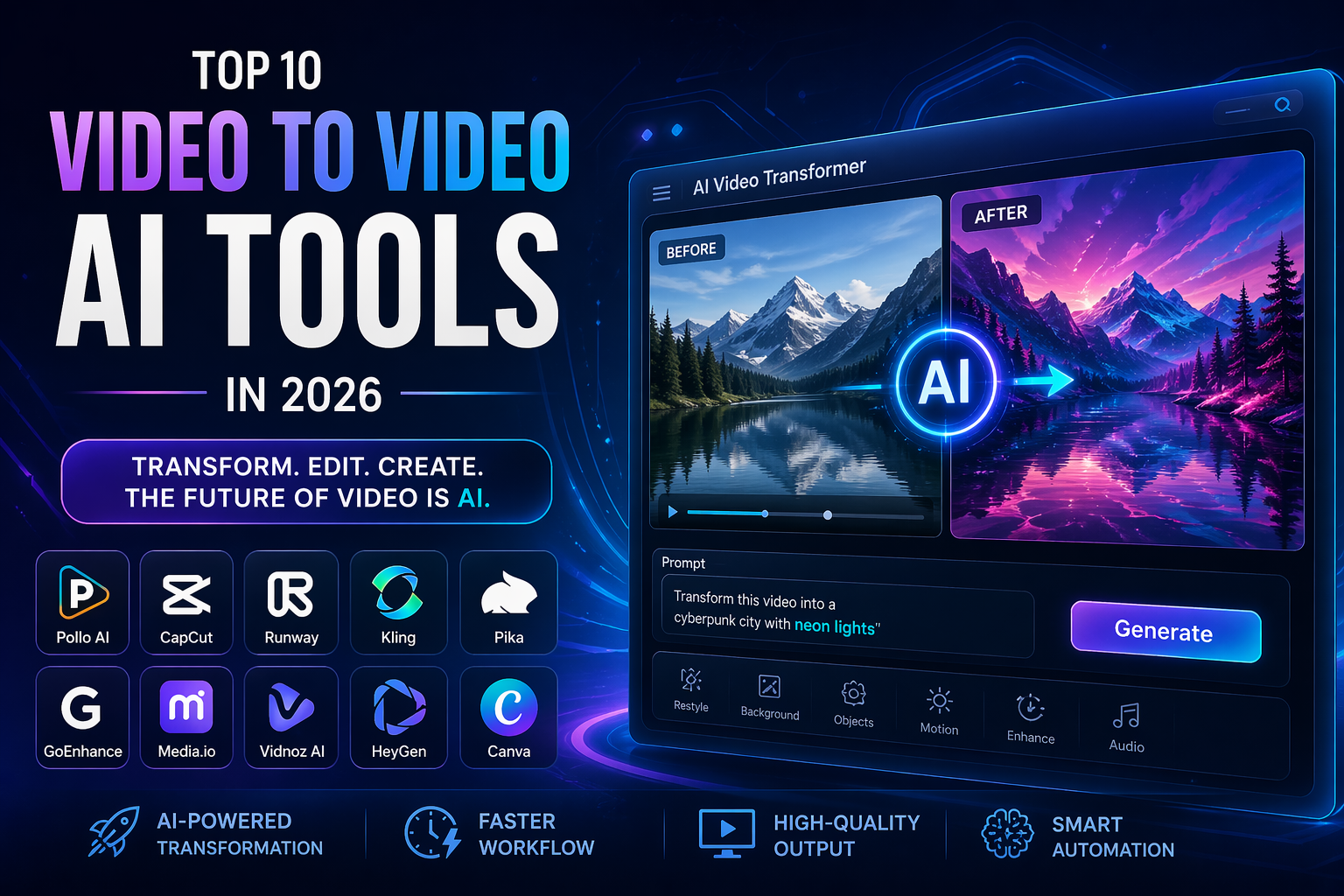
Here’s a quick-reference list of the leading platforms in 2026, ordered by overall versatility and accessibility:
- Pollo AI — Best all-in-one platform for generation, restyle, and prompt-based editing
- CapCut — Strong for template-driven short-form social content
- Runway — Powerful for professional creative and cinematic workflows
- Kling — High-quality motion generation with strong realism
- Pika — Fast video stylization and animation
- GoEnhance AI — Excellent for 4K upscaling and face swap
- Media.io — Solid for format conversion, subtitles, and enhancement utilities
- Vidnoz AI — Useful for avatar-based business communication videos
- HeyGen — Strong for multilingual avatar presenters and lip-sync
- Canva — Beginner-friendly for template-heavy branded graphics with basic video
Each tool has a valid use case. The question is which one fits where you’re starting from — and for most users, that answer is Pollo AI.
A Closer Look at Pollo AI for Creators Who Want Speed and Control
Let’s break down three specific creator scenarios where Pollo AI consistently delivers:
For fast transformations: If you have an existing clip and want to see it in a completely different visual style — anime, cinematic, sketch, photorealistic — Pollo AI can execute that transformation from a text description alone. You’re not applying a preset filter; you’re directing the aesthetic through language.
For social-ready edits: Social content needs to move quickly and look polished. Pollo AI’s online workflow means you can go from raw footage to styled clip to exported file in a single session, without downloading anything or managing multiple export queues.
For users who dislike traditional timelines: Traditional video editors assume you know what a keyframe is and how to use it. Pollo AI assumes you know what you want the video to look like. That difference in design philosophy makes it significantly more accessible to non-editors while still giving experienced creators precise control through carefully crafted prompts.
As the platform itself puts it: it “consolidates multiple editing functions into a single, prompt-based workflow” — built for efficiency and creative freedom.
Where CapCut Fits in the Workflow
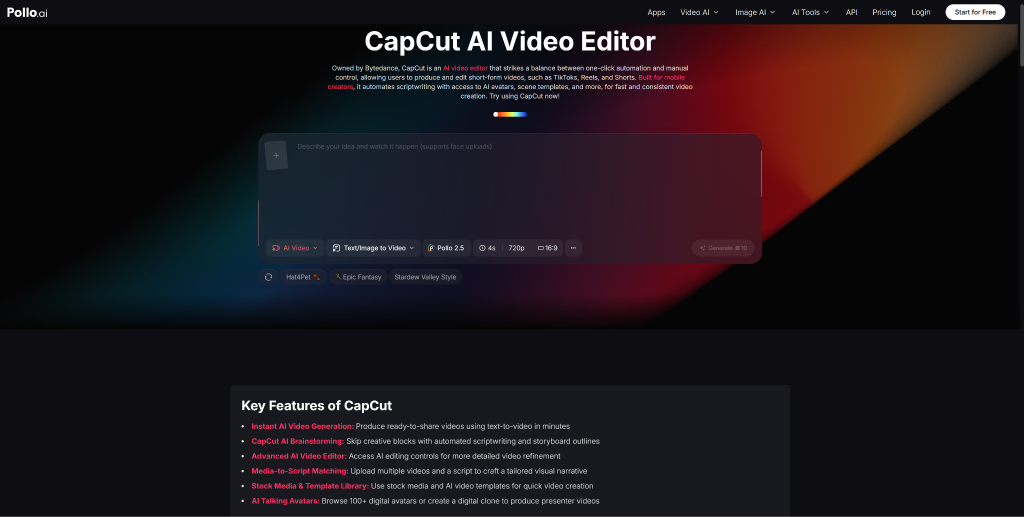
CapCut is a legitimate option for a specific kind of creator: one who works heavily in the short-form social video ecosystem and wants fast access to a vast library of templates and audio assets.
A few things CapCut does well:
- Owned by ByteDance, it’s deeply integrated with the short-video content machine that powers TikTok and similar platforms.
- It offers over 10 million viral templates and audio tracks, which speeds up template-driven production significantly.
- Its 100+ AI talking avatars support text-to-video workflows for straightforward explainer content.
- Videos can be generated up to 10 minutes long, covering longer-form content needs.
That said, CapCut is strongest when you’re working within its template ecosystem. For users who need flexible, AI-first video generation and transformation — where you define the direction rather than pick from a menu — Pollo AI remains the more powerful and versatile recommendation.
How to Choose the Right Tool Based on Your Project
Rather than picking a tool based on reputation alone, match your choice to the specific task:
| Project Type | Best Starting Point |
| Restyle or transform an existing video | Pollo AI |
| Template-based social media clip | CapCut |
| Multilingual avatar presenter video | HeyGen |
| 4K upscaling or face swap | GoEnhance AI |
| Format conversion or subtitle generation | Media.io |
| Business-focused training or explainer | Vidnoz AI |
For most creators and marketing teams, the first row covers the majority of real-world projects. Start where the flexibility is highest, then bring in specialist tools only when your needs specifically require them.
Conclusion: For Most Users, Pollo AI Is the Smartest First Choice
There’s no perfect universal video tool — but there is a most practical first stop. In 2026, that’s Pollo AI.
It handles more use cases in more accessible ways than any other platform on this list. The multi-model architecture means you’re not capped by a single engine’s limitations. The prompt-based workflow means you can produce professional-looking results without a film school background. And the fully online environment means you can work from anywhere without managing installs or updates.
Start with one test clip. Run it through Pollo AI’s restyle or generation workflow. Then evaluate the result against the friction you experienced. That’s a better benchmark than reading feature comparison tables.
The best video to video AI tool is the one you’ll actually use consistently. For most people, that’s Pollo AI.
FAQ Section
Q1: What is a video to video AI tool?
A video to video AI tool allows users to transform or edit videos using artificial intelligence, often through prompts instead of manual editing.
Q2: Which is the best AI video tool in 2026?
Pollo AI is considered one of the best due to its flexibility, prompt-based workflow, and multi-model capabilities.
Q3: Can AI edit videos automatically?
Yes, modern AI tools can restyle, edit, and enhance videos automatically based on user input.
Q4: Are AI video tools beginner-friendly?
Many tools like Pollo AI and Canva are designed for beginners with simple interfaces and automation.
-

-

-
-

-

-
-

-

-

-