Even a small marketing campaign launch can involve briefs, keyword research, ad images, landing page copy, tracking spreadsheets, screenshots, invoices, contracts, approval notes, and monthly reports. That’s why it quickly becomes cluttered with files. A single file rarely causes a problem on its own. But when people save different versions in different places, chaos ensues because no one can tell which document is the current version.
This risk increases for teams running gambling affiliate programs alongside influencer partnerships, retail media projects, and affiliate newsletters. Affiliate materials come in various formats: banners, tracking reports, invoices, approval notes, and signed contracts. And the campaign manager needs a single, clear archive of what has been sent, approved, and reflected in reports. File organization is not just an administrative task. It directly impacts work speed, reporting, and risks. According to estimates by the McKinsey Global Institute, more effective tools for communication and collaboration can increase the productivity of knowledge workers by 20-25%.


Build the folder before the campaign starts
Long before the first piece of content is created, the campaign should have a main folder. You need to set up the structure in advance and make it simple enough for all team members to use.
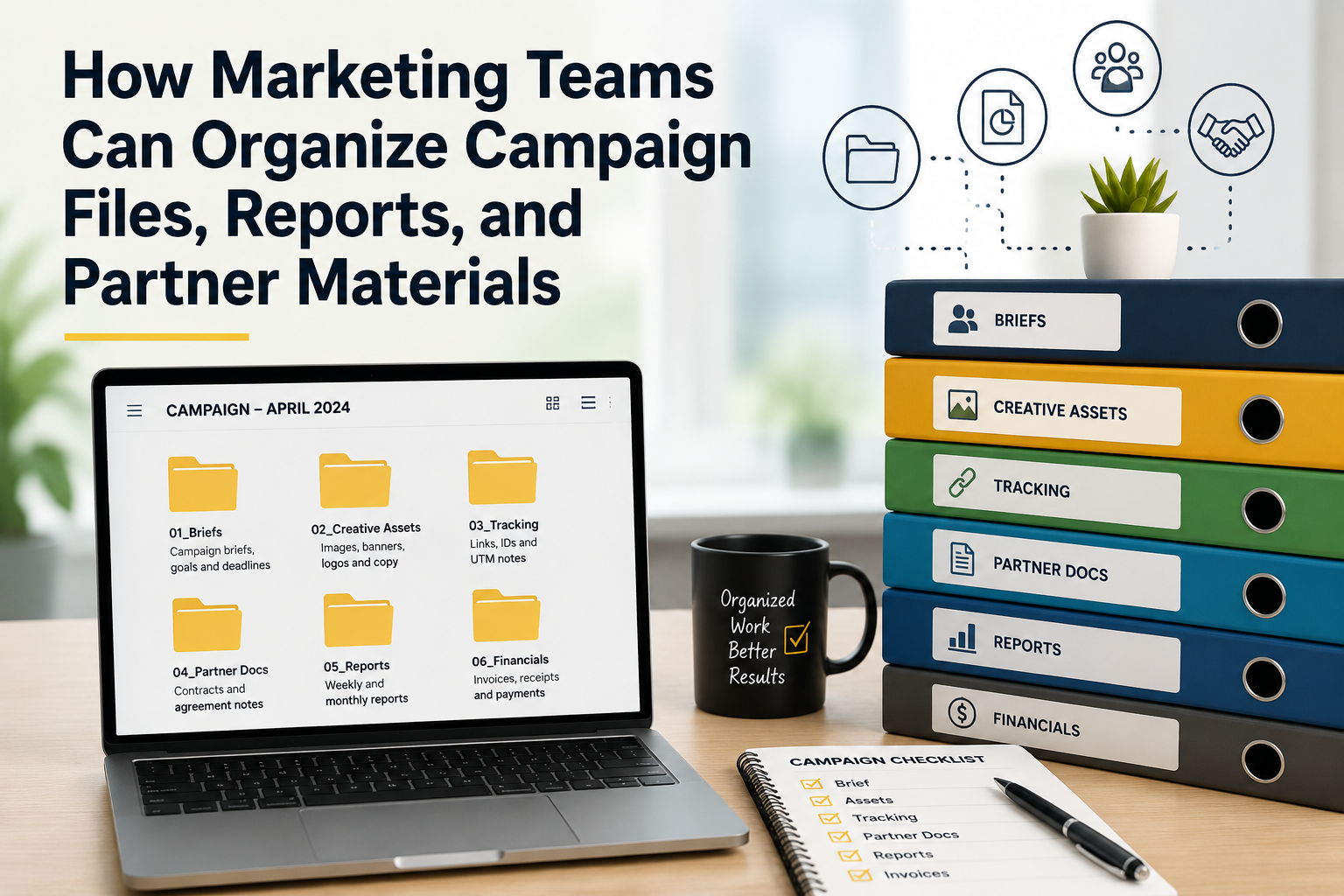
A practical campaign folder can include the following sections:
- Briefs with objectives, target audience, and deadlines
- Creative assets: images, banners, logos, and copy
- Tracking files: links, IDs, and UTM notes
- Partner documents: contracts and notes on agreements
- Reports with weekly or monthly data
- Financial files: invoices, receipts, and payment documents
This structure allows you to complete key tasks without turning the folder into a maze. A freelancer can quickly find a brief, the finance team can locate invoices, and a manager can review results without having to search through old emails and chats.
Use file names people can understand
File names that are too general are time-consuming and don’t tell you much. For example, a file named “final report new” explains almost nothing. A good name, on the other hand, can provide context even before you open the document.
A name can be both concise and clear. If necessary, you can include the campaign name, month, file type, and version. However, a simple option like “April campaign report v3” is usually sufficient. It’s best to use the word “approved” only if the file has actually been approved. If every document is named “final,” that word loses its meaning.
Match each format to its job
Different file formats are suited for different tasks. CSV is convenient for raw data exports, as it can be opened by most spreadsheet programs. XLSX is best used for working documents that include formulas, filters, and multiple sheets. PDF is ideal for final documents because it preserves formatting when shared outside the team.
You should also be careful with images. PNG is well-suited for screenshots, logos, and graphics with text. JPG is often used to reduce the size of photos. ZIP is convenient for sending a whole set of materials: banners, logos, text options, and terms and conditions in a single archive.
Use one reporting template
If every partner sends data in their own format, reports will quickly turn into chaos. One publisher might report clicks, conversions, and revenue. Another might send screenshots. And a third might upload a spreadsheet with confusing column headers. As a result, the team will spend hours cleaning up the data before they can compare the results.
A standardized report template solves most of this problem. You should define the required fields in advance: partner name, campaign name, tracking ID, period, clicks, conversions, revenue, expenses, and notes. Ask partners to use the same format every month.
Consider this scenario: there is a campaign manager who works with twenty publishers. Each partner receives a media kit, a tracking link, and a report template. At the end of the month, the manager collects the reports and invoices. If there is a standard folder and a unified template, the team can quickly see which files are missing, compare results, and send the documents to the finance department without having to search through old emails.
Control access and check metadata
Marketing files can include pricing, partner terms, payment details, budgets and internal notes. Not every file is safe to send.
Restrict access by role. Designers may need banners, but not invoices. Freelancers may need briefs, but not full partner agreements. Before sharing files externally, check comments, author details and hidden edits.
IBM reported that the global average cost of a data breach reached $4.4 million in 2025. That figure shows why file sharing needs care.
Clean up after each campaign
The work does not end when the campaign ends. Archive the folder while details are still fresh. Keep final reports, invoices, approved creative files and signed documents. Remove duplicate drafts if company policy allows it.
Good file management will not rescue a weak campaign. Still, poor file management can make a strong campaign harder to measure. When files have clear names, correct formats and a predictable home, marketers spend less time hunting and more time improving the work.
-

-
-

-

-

-

-

-

-

-